
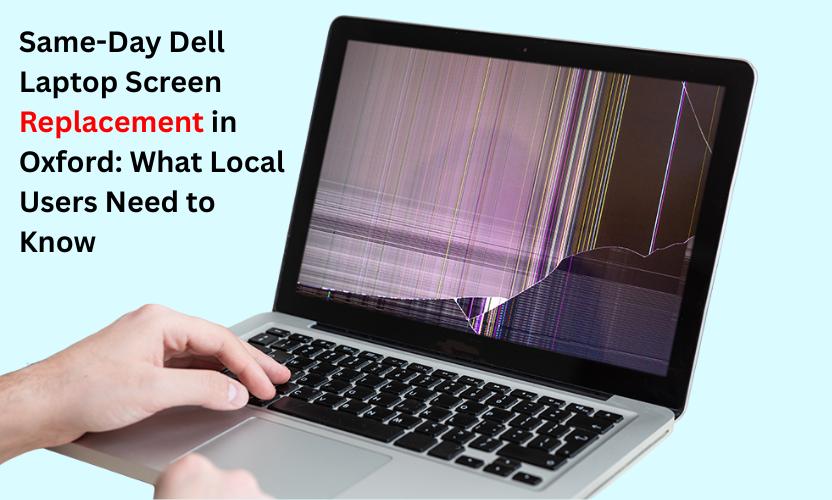
A cracked Dell laptop screen can bring your entire day to a halt, but getting it fixed in Oxford is easier and more affordable than most people realise.
If a cracked or flickering Dell laptop screen is slowing down your day, you’re not alone. Many Oxford users suddenly find themselves with a laptop they can’t properly use, often at the worst possible time. Searching for Dell laptop screen replacement near me becomes urgent, but choosing the right repair shop matters.
This guide explains when screen repair is worth it, the most common Dell display issues, and why so many Oxford residents rely on Gadgets N Repair Oxford for dependable laptop fixes.
Why Dell Laptop Screen Problems Are So Common
Dell laptops, whether it’s a Dell Inspiron, Dell Latitude, Dell XPS, or Dell Precision, are built for everyday productivity. But screens are still vulnerable to:
- Accidental drops
- Pressure damage inside a backpack
- Liquid splashes
- Aging LCD or LED panels
- Loose internal display connectors
Even a small crack can spread, and a minor flicker can develop into a completely blank display. For busy students, remote workers or professionals commuting into Oxford, screen issues quickly become more than an inconvenience.
Repair or Replace? What Oxford Users Should Know
Many people assume a damaged screen means buying a new laptop. That’s rarely true.
Replacement is only needed when:
- The laptop is extremely old
- Multiple internal components have already failed
- The motherboard is damaged

But if the laptop works fine apart from the screen, repair is almost always the better financial choice. A new Dell laptop may cost hundreds, while a screen repair restores full functionality without replacing a device that still has years of use left.
Gadgets N Repair St Helens specialists see this scenario daily and most devices are repaired on the same or next day.
Common Dell Screen Issues We See in Oxford
Broken or malfunctioning screens do not all behave the same. The most frequent symptoms include:
- Cracks running across the display
- Black spots or blotches
- Dim or low-brightness screens
- Flickering or flashing displays
- White or black screen with backlight but no image
- Dead or blown pixels
- Horizontal or vertical lines
While helping with broken screens, Gadgets N Repair often handles related issues too, such as battery checks, charging port inspections and keyboard troubleshooting, since many customers bring multiple concerns during one visit.
Quick Dell Diagnosis Comparison Table
Here is a simple way to understand what your laptop’s symptoms might mean:
| Screen Symptom | Likely Cause | Typical Outcome |
|---|---|---|
| Cracked glass | Drop or pressure damage | Screen replacement required |
| Flickering display | Loose flex cable or faulty panel | Repair or replacement depending on issue |
| Dim or dark screen | Inverter or backlight failure | Screen assembly replacement |
| Lines across screen | GPU connector or LCD damage | Often fixable with new display |
| Black screen | Internal connector or LCD failure | Repair after diagnosis |
This quick comparison helps you know what to expect before visiting a repair shop.
Dell Models Commonly Repaired in Oxford
Oxford residents use a wide variety of Dell systems, and Gadgets N Repair frequently handles display issues for:
- Dell XPS 13 series used by professionals and students
- Dell Inspiron 15 models used for everyday computing
- Dell Latitude laptops often used in workplaces
- Dell Precision systems used by designers and engineers
- Dell G-Series laptops used by gamers
Screen repair across these categories is routine, straightforward and cost-effective.
Why Oxford Locals Trust Gadgets N Repair
Experienced Technicians for Dell Systems
Dell screens vary by model, connector type and panel configuration. Gadgets N Repair laptop technicians diagnose these quickly and accurately so customers don’t waste time or money.
Honest Problem Assessment
If a screen repair is the wrong choice, for example, if there’s motherboard damage, the team will explain it clearly rather than attempting an unnecessary repair.
Casual Access to Additional Device Services
Oxford customers sometimes bring a device for a screen issue and end up getting help with other problems such as:

- Slow laptops needing software optimisation
- Weak batteries
- Faulty keyboards
- USB or charging port faults
These services aren’t pushed, they’re simply offered when relevant.
Reliable Oxford Location Support
With many users from Headington, Cowley Road, Summertown and nearby areas, quick turnarounds and transparent advice have made Gadgets N Repair a go-to place for Dell diagnostics.
How to Know If Your Dell Screen Is Still Repairable
You’re a great candidate for repair if:
- Your laptop powers on normally
- You can hear system or fan noise
- The display lights up even if the image is distorted
- External monitor output works
- The damage is limited to the display only
However, replacement may be better if:
- The laptop is over eight years old
- Multiple hardware components have failed
- You were already planning to upgrade
Most Oxford users fall into the first category, making repair the smartest choice.
What to Expect During a Dell Screen Repair
A standard repair at Gadgets N Repair involves:
- Full device inspection
- Testing cables, hinges and internal connections
- Installing a compatible Dell screen panel
- Final checks for brightness, display accuracy and backlight uniformity
Repairs are done using proper tools and anti-static equipment to ensure hardware safety.
FAQs: Dell Laptop Screen Replacement Oxford
How do I know if my Dell screen needs replacing?
If you see cracks, lines, black spots or the display is completely blank while the laptop is still turning on, your screen likely needs replacing.
Is screen repair cheaper than buying a new Dell laptop?
Yes. Repairing a screen is far more affordable than purchasing a new laptop, especially for high-performance Dell models such as XPS or Precision.
How long does a Dell laptop screen repair take?
Most repairs take between one and three hours once the correct screen is available.
Can Gadgets N Repair fix other laptop issues too?
Yes. While screen repair is common, many customers also get help with batteries, chargers, keyboard damage and software problems.
Is it safe to keep using a cracked laptop screen?
No. Cracks can spread, moisture can enter the device and sharp edges can be hazardous.
Final Thoughts
A damaged Dell laptop screen doesn’t mean you need a new device. For most Oxford users, repairing the display is the fastest, most affordable and most practical solution, especially when handled by trusted technicians who understand Dell hardware inside out.


