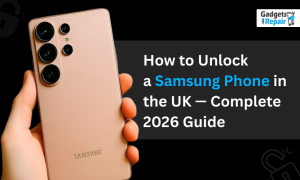
If you want to know how to unlock a Samsung phone in the UK, you are in the right place.
Learning how to unlock a Samsung phone is straightforward once you understand the process. Whether your Galaxy is locked to EE, O2, Vodafone, Three or any other UK network, this guide covers every method available in 2026.
We cover how to unlock Samsung phone models across the full Galaxy range including S series, A series, Note series and older budget models.
Is Your Samsung Phone Actually Locked
Before you begin, confirm your Samsung actually needs unlocking.
Insert a SIM card from a different network into your device. If the phone connects normally and shows a signal, your Samsung is already unlocked.
If you see any of the following messages, your Samsung phone is network locked and needs professional unlocking before it accepts another carrier’s SIM card.
- SIM not supported
- Enter network unlock PIN
- SIM network unlock PIN required
How to Find Your Samsung IMEI Number
You need your IMEI number for every unlocking method available.
Open your Samsung dialler and type #06# to bring your IMEI up on screen immediately. You can also find it in Settings, then About Phone, then Status Information. Keep this 15 digit number ready before you contact your network or visit our St Helens shop.
How to Unlock a Samsung Phone — All Methods Compared
Here is a quick comparison of every available method so you can choose the right one for your situation.
| Method | Cost | Turnaround | Works When |
|---|---|---|---|
| Contact Your Network | Free | 1 to 10 days | You are the original account holder |
| Professional Service | From £15 | 2 to 4 hours | Any situation, any Samsung model |
| Free Code Websites | Free | Variable | Older Samsung models only |
| Samsung Settings | Free | Instant | Some newer models only |
Our professional service at Gadgets n Repair in St Helens covers every Samsung model and every network, including situations where the free network route is not available to you.
Method 1 — Contact Your Network for a Free Samsung Unlock
The first route to try is contacting the network your Samsung is locked to and requesting a free unlock.
EE, O2, Vodafone and Three all offer free Samsung phone unlocking to account holders. You generally need to be the original account holder and have no outstanding balance on your account.
How to Unlock a Samsung Phone from EE
Log in to your EE account online and navigate to the device unlock section. Submit your IMEI number and EE processes the unlock request. Most EE Samsung unlocking requests complete within four to ten working days.
If EE refuses your request, our expert team in St Helens completes EE Samsung phone unlocking within hours through the manufacturer database.
How to Unlock Samsung Phone from O2
O2 allows account holders to unlock a Samsung phone at any point during or after a contract. Submit your IMEI through O2’s online unlock portal.
O2 also unlocks Samsung phones tied to its sub brands including Giffgaff and Tesco Mobile through the same process.
How to Unlock a Samsung Phone from Vodafone
Submit your unlock request through Vodafone’s device unlock page. You need your account number, IMEI and the last four digits of your SIM card.
Vodafone occasionally applies additional conditions to subsidised Samsung handsets. Our St Helens team handles Vodafone Samsung unlocking directly when the network route does not work.
How to Unlock Samsung Phone from Three
Three requires a minimum of six months on contract before processing a free Samsung unlock. Submit your request through Three’s online unlock form.
If you are inside the six month period, our qualified technicians unlock your Three Samsung phone regardless of your contract stage.
Method 2 — Professional Samsung Phone Unlocking in St Helens
How to unlock a Samsung phone quickly and without any network co-operation is simple. Visit our expert team at Gadgets n Repair in St Helens.
Our qualified technicians unlock Samsung Galaxy phones using the official IMEI factory method. This is the same process networks use, completed in two to four hours rather than ten working days.
What Happens During a Professional Samsung Unlock
Our expert team retrieves your Samsung IMEI number and submits it directly to Samsung’s official manufacturer database.
Samsung’s system generates a unique unlock code specific to your handset. You enter that code on the Samsung when prompted and the phone is permanently unlocked immediately.
Which Samsung Models Do We Unlock
Our professional team unlocks every Samsung Galaxy model including the following.
- Galaxy S series including S24, S23, S22 and all earlier S models
- Galaxy A series including A55, A35, A15 and all A range models
- Galaxy Note series including Note 20, Note 10 and older Note models
- Galaxy J series and older budget Samsung models
- Galaxy Z Fold and Z Flip foldable models
If your Samsung model is not listed here, bring it in. Our expert technicians check compatibility at no charge before you commit.
How Samsung IMEI Unlocking Works
When a network locks your Samsung, they register your IMEI in their carrier database as belonging to their network.
Unlocking updates that registration so your Samsung IMEI is approved to work with any SIM card from any network. The phone itself is never touched. No software changes. No hardware modifications.
Because the update happens at the manufacturer database level, no future Samsung One UI software update can reverse it. How to unlock a Samsung phone this way produces a result that is permanent.
Does Unlocking a Samsung Phone Void the Warranty
No. Unlocking a Samsung phone through the official IMEI method does not affect your Samsung manufacturer warranty.
Samsung approves the IMEI factory unlocking method and our professional technicians use only this approach. We show you the unlock confirmation before you leave our St Helens shop.
Why Unlock Your Samsung Phone
Save money every month. Once you unlock a Samsung phone to any network, you move to any SIM only deal in the UK. The monthly saving compared to a locked contract often runs to £15 to £25.
Use local SIMs abroad. An unlocked Samsung accepts any SIM from any country, giving you local data and call rates instead of expensive UK roaming charges.
Increase your Samsung’s resale value. Unlocking a Samsung phone before selling adds £30 to £50 to its value on second hand platforms.
Pass it to a family member. Someone in your household on a different network needs the Samsung unlocked before their SIM works in it.
Get Your Samsung Phone Unlocked in St Helens Today
Our expert technicians at Gadgets n Repair unlock Samsung phones across the full Galaxy range. Walk in with your Samsung and IMEI number and our qualified team confirms the price, checks the lock status and completes the Samsung unlocking service the same day.
Professional Samsung phone unlocking from £15. Permanent. Warranty safe. No data lost.
Frequently Asked Questions
How to unlock a Samsung phone in the UK?
Contact your original network for a free unlock, which takes one to ten working days. For a same day result, visit our expert team at Gadgets n Repair in St Helens. We unlock Samsung phones from EE, O2, Vodafone, Three and all UK networks within two to four hours from £15.
How do you unlock a Samsung phone without losing data?
IMEI factory unlocking never affects your data. Your photos, contacts, apps and settings stay exactly as they are. The unlock happens at the database level, not on the device itself.
How do I unlock my Samsung phone from EE?
Log in to your EE account online and submit an unlock request with your IMEI number. EE completes most Samsung unlock requests within four to ten working days. For a faster result, our St Helens team completes EE Samsung unlocking within hours.
How can you unlock a Samsung phone still on contract?
Yes. Your contract and your Samsung’s network lock are two separate things entirely. Unlocking your Samsung does not affect your contract, your payments or your account with the carrier.
How much does it cost to unlock a Samsung phone?
Our professional Samsung unlocking service at Gadgets n Repair in St Helens starts from £15. We confirm the exact price before any work begins. If our expert team cannot unlock your Samsung, you pay nothing.
How do I know if my Samsung phone is unlocked?
Go to Settings, then About Phone, then Status Information, then SIM Lock Status. Network Unlocked means your Samsung is already free to use any SIM. Network Locked means you need professional phone unlocking. You can also dial #06# to get your IMEI and run a free IMEI check online.
How to unlock a Samsung phone to any network?
Our professional IMEI factory unlocking service registers your Samsung as approved for any network worldwide. Once our expert team completes the unlock at our St Helens shop, your Samsung accepts any SIM from any UK or international carrier permanently.