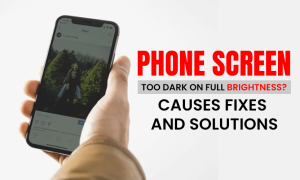
If brightness is maxed out but your screen looks dim, your phone is trying to tell you something.
If your phone screen is too dark on full brightness, it can make everyday use frustrating, reduce outdoor visibility, and affect overall usability. Screen brightness issues are more common than many users realise and are often caused by settings conflicts, power management features, or underlying hardware problems.
At Gadgets n Repair, we regularly diagnose smartphone display issues and help customers restore proper brightness safely and effectively.
Why Is My Phone Screen Too Dark on Full Brightness?
A phone screen that appears dim even at maximum brightness usually indicates a problem with display settings, software behaviour, or internal components. Understanding the cause early helps prevent further damage and improves long-term device performance.
Common Causes at a Glance
| Cause | Affects | Quick Check |
|---|---|---|
| Auto / Adaptive Brightness | Screen dims automatically | Disable and test manually |
| Battery Saver Mode | Reduced display luminance | Turn off power saving |
| Software Bug | Inconsistent brightness | Restart and update |
| Display Hardware | Persistent dim or uneven screen | Professional inspection |
Common Causes Explained
Adaptive Brightness and Auto-Brightness
Adaptive brightness uses the ambient light sensor to adjust screen luminance automatically. While designed to save battery, incorrect calibration can cause the phone screen to dim even when brightness is set to full.
Power-Saving and Battery Saver Modes
Battery saver and low power modes intentionally reduce screen brightness. When enabled, these features override manual brightness controls.

Software Glitches or Bugs
Operating system bugs, incomplete updates, or app conflicts can interfere with brightness settings, leading to flickering displays or reduced screen visibility.
Display Hardware Deterioration
A failing display panel may show uneven brightness, discoloration, or severe dimming. This often occurs after drops, water exposure, or prolonged wear.
Battery Performance Issues
A deteriorating battery can struggle to supply consistent power, directly affecting screen brightness and display performance.
How to Fix a Phone Screen That Is Too Dark
Check Display and Brightness Settings
Ensure the brightness slider is set correctly and temporarily disable auto-brightness to test manual control.
Review Accessibility and Display Filters
Features such as colour correction, eye comfort, or night display modes can change perceived brightness and colour temperature.
Disable Power-Saving Features
Turn off low power or battery saver modes to restore full screen luminance.
Restart and Update the Device
Restarting the phone resolves many temporary software issues. Keeping the operating system updated improves display stability.
If issues continue, you may need professional help. You can explore our phone screen repair service, iPhone repair services, or Samsung phone repair services for device-specific support.
Device-Specific Screen Brightness Issues
iPhone Screen Brightness Problems
On iPhones, dim screens are often linked to auto-brightness, True Tone, Night Shift, or low power mode. A screen visible only under a flashlight may indicate backlight failure.
Android and Samsung Screen Brightness Problems
Android devices, including Samsung Galaxy phones, may experience dim displays due to adaptive brightness, AMOLED burn-in, or display discoloration. Persistent issues after drops or water exposure usually require professional diagnosis.
When to Seek Professional Repair
You should consider expert repair if:
- The phone screen remains dark after all software fixes
- Flickering, vertical lines, or discoloration appear
- Brightness controls stop responding
- The screen is visible only under direct light
- The issue started after impact or liquid exposure

These symptoms often indicate hardware problems beyond DIY solutions.
Why Choose Gadgets n Repair
At Gadgets n Repair, our technicians diagnose smartphone display problems daily. We focus on accurate fault identification, safe data handling, and long-term repair solutions rather than temporary fixes.
Frequently Asked Questions
Why is my phone screen still dim on full brightness?
Auto-brightness, power-saving modes, software bugs, or a failing display can all reduce brightness.
Can battery problems affect screen brightness?
Yes. A deteriorating battery may not deliver enough power to maintain optimal screen luminance.
Is a dark phone screen always a hardware issue?
No. Many brightness issues are software-related, but persistent dimming often indicates display damage.
Will resetting settings fix brightness problems?
In many cases, resetting display or system settings resolves software-based brightness issues without data loss.
Final Thoughts
A phone screen too dark on full brightness is often a warning sign of deeper software, power, or display-related issues. Addressing the problem early improves usability, protects internal components, and restores proper screen performance.
If brightness problems persist despite adjustments, Gadgets n Repair offers professional diagnostics and reliable repair solutions to restore clarity and visibility.