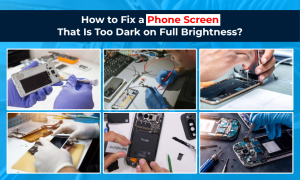
If your phone screen too dark on full brightness is making it difficult to read messages, browse apps, or use your phone outdoors, you are not alone. Many people notice that even when the brightness slider is set to the maximum, the display still looks dim, faded, or harder to see than normal. In some cases, this is caused by settings such as auto brightness, battery saver, dark mode, or accessibility display controls. In other cases, a dim phone screen can be linked to overheating, water damage, screen damage, or a deeper display issue.
The good news is that this problem is often fixable. Sometimes the solution is as simple as changing a setting. If not, the screen may need professional diagnosis or screen repair. Below, we explain the most common causes, what to check first, and when to get help.
Why Is My Phone Screen Too Dark on Full Brightness?
When a phone screen is too dark on full brightness, the issue is usually caused by one of two things: software/settings problems or hardware faults.
A lot of phones use auto brightness or adaptive brightness to change display levels depending on the light around you. This means your phone can override your manual brightness settings without you realizing it. If the ambient light sensor is not reacting properly, the screen may stay dim even when the brightness bar is pushed all the way up.
Another common cause is battery saver or low power mode. These features are designed to reduce battery usage, and that often includes lowering screen brightness. Display features such as dark mode, night mode, reduce white point, blue light filter, eye comfort shield, or extra dim can also make your screen appear much darker than expected.
If none of these settings are responsible, the problem may be linked to a screen brightness problem caused by overheating, recent update issues, drop damage, or water exposure.
8 Things to Check If Your Phone Screen Too Dark on Full Brightness
Before assuming your device needs a repair, go through these checks first.
1. Turn Off Auto Brightness or Adaptive Brightness
Go into your display settings and turn off auto brightness or adaptive brightness. Then manually move the brightness slider to maximum again. Sometimes this alone solves the issue.
2. Disable Battery Saver or Low Power Mode
If battery saver is active, your phone may intentionally reduce display output. Turn it off and check whether the screen brightness improves.
3. Check Dark Mode and Display Filters
Features such as dark mode, night shift, eye comfort shield, or blue light filter can change how bright the display looks. Also check accessibility display settings like reduce white point or extra dim.
4. Remove a Privacy or Tinted Screen Protector
A dark privacy protector can make a phone display look much dimmer, especially in daylight. If your phone display is too dark, remove the protector and test again.
5. Restart the Device
A simple restart can clear temporary software glitches affecting brightness controls or screen behavior.
6. Let the Phone Cool Down
If your phone feels hot, it may reduce brightness automatically to protect the internal components. Leave it to cool for a while, then test the screen again.
7. Install the Latest Software Update
A software update can fix display bugs, brightness glitches, or sensor issues. Make sure your phone is running the latest version available.
8. Reset Display Settings
If nothing works, resetting display-related or accessibility settings can help restore the default brightness behavior.

Settings That Commonly Cause a Dim Phone Screen
Many people assume a dark screen means hardware damage, but hidden settings are often the real reason.
On iPhone, check:
- Auto-Brightness
- True Tone
- Night Shift
- Dark Mode
- Reduce White Point
On Android, check:
- Adaptive Brightness
- Extra Dim
- Eye Comfort Shield
- Blue Light Filter
- Battery Saver
These settings can all make a phone screen dark even at max brightness.
When a Phone Screen Too Dark on Full Brightness Becomes a Hardware Problem
If your phone screen too dark on full brightness does not improve after checking settings, the issue may be hardware-related.
Signs of a hardware fault include:
- the screen stays dim all the time
- part of the display looks darker than the rest
- the screen flickers
- colours look faded or patchy
- brightness changes randomly
- the issue started after a drop
- the issue started after water exposure
- the screen is readable indoors but almost unusable outside
These symptoms often point to OLED damage, LCD damage, a backlight issue, ambient light sensor failure, or another display issue.
Can a Cracked Screen Make the Display Look Darker?
Yes, it can. A cracked screen does not always affect only the outer glass. In many cases, the impact damages the screen layers underneath, causing the display to look dim, discoloured, or patchy. If your phone was dropped recently and the screen too dark at full brightness problem started afterwards, it may need display replacement rather than a simple settings adjustment.
Can Water Damage Cause a Phone Screen Too Dark on Full Brightness?
Water damage is another common reason for a dim phone screen. Even if the phone still turns on, moisture inside the device can affect the display connectors, sensor functions, or screen panel. A phone exposed to water may show:
- dim brightness
- flickering
- green or dark patches
- poor outdoor visibility
- ghost touch or unstable display output
If your phone got wet before the problem started, it is smart to stop relying on DIY fixes and get a proper phone diagnosis quickly. This is a strong place to add an internal link to your water damage phone repair page.
Can a Bad Battery Affect Screen Brightness?
Yes, sometimes it can. A weak or ageing battery may not deliver stable power as efficiently as before, especially under load. In some cases, this can affect display performance, cause overheating, or make the phone dim more aggressively in order to preserve power.

This is why a battery replacement service can sometimes solve what looks like a screen issue. If your battery is draining quickly, the phone is heating up, and the phone screen too dark on full brightness issue keeps happening, battery health should be checked too.
iPhone and Android Checks for a Screen That Stays Dim
On iPhone
If you use an iPhone, focus on:
- Auto-Brightness
- True Tone
- Night Shift
- Reduce White Point
- Low Power Mode
On Android
If you use Android, focus on:
- Adaptive Brightness
- Extra Dim
- Blue Light Filter
- Battery Saver
- Display Colour Settings
This helps cover both search intent and user relevance because not every dim display problem works the same way across devices.
When to Get Professional Help
You should consider professional help if:
- the screen is still dim after changing settings
- the issue started after impact or liquid exposure
- the display flickers or changes brightness randomly
- parts of the screen are darker than others
- the screen becomes too dark to use outdoors
- the problem keeps returning after restart or software updates
Final Thoughts
A phone screen too dark on full brightness can be frustrating, but the cause is not always serious. Sometimes the fix is as simple as turning off auto brightness, disabling battery saver, or checking display filters. However, if the problem continues, especially after a drop, overheating incident, or water exposure, the screen may need professional attention.
If your phone display stays dim even after trying the fixes above, a fast diagnosis can tell you whether the issue is linked to settings, battery performance, sensor problems, or full screen repair needs.
FAQs About a Phone Screen Too Dark on Full Brightness
Why is my phone screen too dark on full brightness?
The most common reasons are auto brightness, battery saver, display filters, overheating, software bugs, or screen damage. If the issue does not improve after changing settings, the problem may be hardware-related.
Can auto brightness make my phone screen look dim?
Yes. Auto brightness or adaptive brightness can override manual settings and make the display look darker than expected based on ambient light.
Can overheating reduce screen brightness?
Yes. Phones sometimes lower brightness automatically when they get too hot in order to protect internal components.
Can a cracked screen affect brightness?
Yes. If the impact damages the display layers underneath the glass, the screen may appear dim, patchy, or harder to see even at full brightness.
Can water damage make a phone screen dim?
Yes. Water exposure can affect the display, connectors, or internal components and lead to flickering, dark patches, or a dim screen.
How do I know if it is a hardware issue?
If your screen stays dim after changing settings, restarting the phone, updating software, and cooling the device down, it may be a hardware fault.
Will I need a full screen replacement?
Not always. Some dim screen problems are caused by settings or sensor issues. But if there is impact damage, internal display failure, or water damage, a display replacement may be needed.
How much does it cost to repair a dim phone screen?
The cost depends on the phone model and the cause of the issue. A dim display could be linked to the screen, battery, sensor, or another internal component, so diagnosis is the best first step.