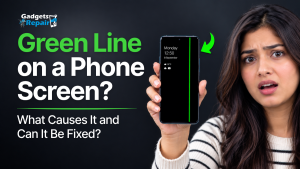
Your phone says full brightness, but the screen still looks dark and the reason might surprise you.
Experiencing a phone screen that looks dark even when brightness is set to maximum can be frustrating and confusing. This display issue affects visibility, usability, and comfort, especially outdoors or in bright environments. In many cases, a dim phone screen on full brightness is caused by software settings, environmental sensors, or power-saving features rather than immediate screen damage.
At Gadgets n Repair, technicians regularly diagnose brightness-related display issues and find that most cases can be resolved with the right checks before major repairs are needed.
Why Is My Phone Screen Dark on Full Brightness
Modern smartphones are designed to balance brightness, power efficiency, and eye comfort. When something interferes with this balance, the screen may not reach its expected brightness level, even when manually set to maximum.
According to Gadgets n Repair phone repair specialists, this problem often develops gradually, making it harder to notice until visibility becomes a real issue during daily use.
Common Reasons a Phone Screen Stays Dark
Several factors can cause a phone screen to remain dim on full brightness. These issues are usually linked to settings, sensors, or system behaviour rather than sudden display failure.
Software Brightness Settings
System-level limits or display calibration issues may prevent the screen from reaching full output, even when the brightness slider is set to maximum.
Auto-Brightness or Adaptive Brightness
Auto-brightness uses the ambient light sensor to adjust brightness automatically. If the sensor misreads surrounding light, brightness may be reduced unnecessarily.
Screen Protector Interference
A thick, dirty, or poorly aligned screen protector can block sensors or reduce light transmission, making the display appear darker.
Ambient Light Sensor Issues
Dust or obstruction around the ambient light sensor can cause incorrect readings, leading to dim screen behaviour.
Battery Saver Mode
Battery saver or low-power mode often limits brightness to conserve energy, even when brightness appears set to full.
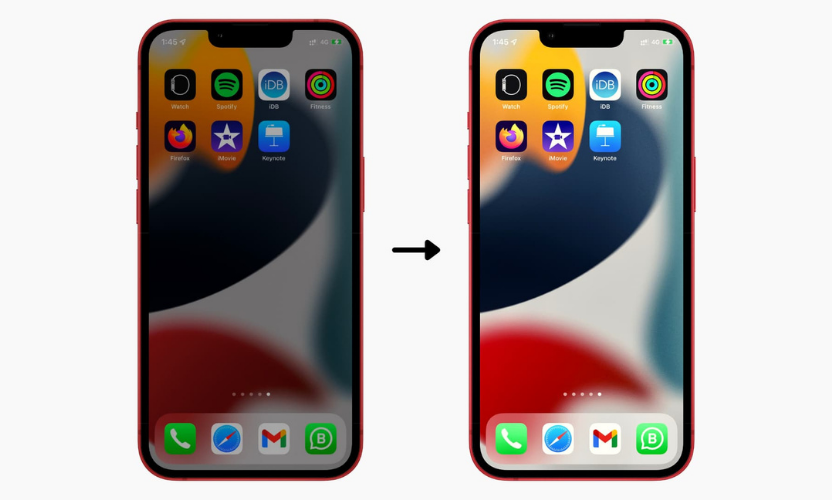
Apps, Themes, or Display Filters
Certain apps, themes, eye-care filters, or colour correction settings may override system brightness controls.
Software Glitches or Hardware Issues
Outdated software, system glitches, or internal display faults can also affect brightness levels.
Common Causes and Fixes for a Dark Phone Screen
| Issue Identified | Likely Cause | Recommended Action |
|---|---|---|
| Screen dim on full brightness | Auto-brightness enabled | Disable auto-brightness and adjust manually |
| Display darker outdoors | Ambient light sensor issue | Clean sensor area and retest |
| Screen looks dull | Screen protector interference | Remove or replace screen protector |
| Brightness limited | Battery saver mode | Turn off battery saver mode |
| Persistent dim display | Software or hardware fault | Professional diagnosis at Gadgets n Repair |
How to Fix a Phone Screen That Is Too Dark
Most brightness issues can be resolved by checking settings and eliminating common interference before assuming hardware damage.
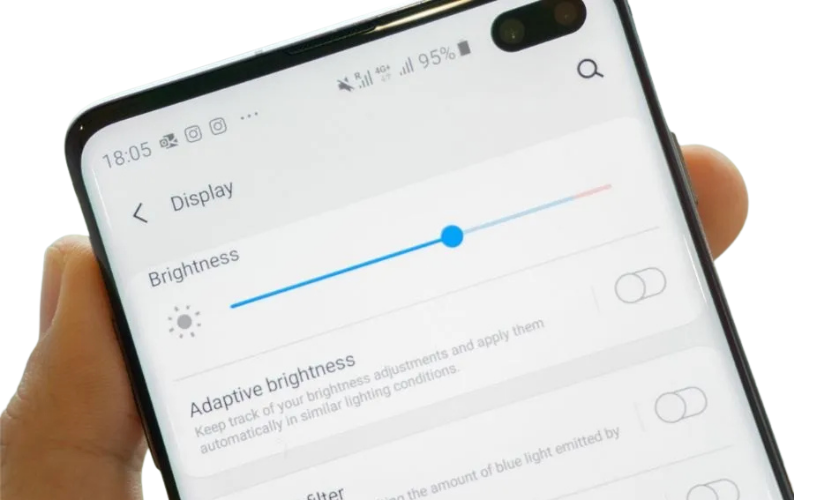
Check Manual Brightness Settings
Confirm the brightness slider is set to maximum and restart the device to ensure changes apply correctly.
Disable Auto-Brightness
Turn off adaptive brightness and manually adjust the screen to test whether brightness improves.
Inspect and Clean the Screen Protector
Remove the screen protector and clean the display and sensor area. Replace it if brightness improves after removal.
Clean the Ambient Light Sensor
Gently clean the sensor area to ensure accurate light detection.
Turn Off Battery Saver Mode
Disable battery saver mode and check whether brightness increases.
Check for App or Theme Interference
Remove any apps or themes that modify display colour or brightness and restart the phone.
Update Software and Restart
Install available system updates and reboot the device to resolve possible software-related brightness issues.
When Professional Assistance Is Needed
If brightness issues persist after troubleshooting, the problem may be hardware-related. Internal display components, backlight systems, or sensor modules can degrade over time or after impact or moisture exposure.
Gadgets n Repair technicians use professional diagnostics to identify:
- Display panel faults
- Backlight or connector damage
- Sensor malfunction
- Deeper hardware issues
Early diagnosis helps prevent further damage and unnecessary device replacement.
Maintaining Optimal Phone Display Performance
To keep a phone display performing well, avoid prolonged exposure to moisture, excessive heat, or extreme brightness in direct sunlight. Keeping software up to date and using compatible accessories also helps preserve display quality.
At Gadgets n Repair, display-related issues are often easier to resolve when addressed early rather than after long-term damage occurs.
Frequently Asked Questions
Why does my phone screen look dark outdoors?
Auto-brightness may incorrectly adjust the display in strong lighting conditions, reducing visibility.
Can a screen protector cause dim brightness?
Yes, low-quality or misaligned protectors can block sensors or reduce light transmission.
Does battery saver mode reduce brightness?
Battery saver mode commonly limits brightness to conserve power.
Can screen damage cause dim brightness?
Backlight or internal display damage can cause persistent dimming and usually requires professional repair.
Should I repair or replace a phone with brightness issues?
In most cases, brightness problems are repairable. A professional diagnosis from Gadgets n Repair helps determine the most cost-effective option.
Final Thoughts
A phone screen that stays dark on full brightness is usually caused by settings, sensors, or system features rather than immediate hardware failure. Understanding the reasons behind dim screen behaviour allows users to fix problems early and avoid unnecessary replacements.
When basic troubleshooting does not resolve the issue, Gadgets n Repair provides professional diagnosis and repair support to help restore optimal display performance safely and reliably.