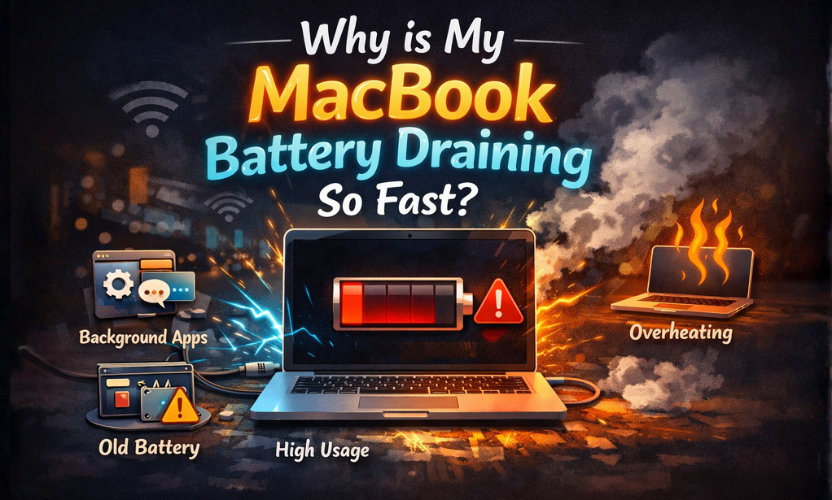
If you’re searching why is my MacBook battery draining so fast, you’re probably seeing a change you can’t ignore anymore: your MacBook barely lasts a few hours, it drops huge percentages while you’re doing light work, or it loses charge overnight even when it’s closed. The worst part is the uncertainty, are you dealing with a worn battery, a heavy app, or something running in the background?
This guide gives you a clear, practical answer. You’ll learn the most common causes of fast MacBook battery drain, the fixes that actually improve runtime, how to check battery health and cycle count properly, and when a battery replacement makes the most sense. If you’re local, you’ll also see when it’s worth booking a check with Gadgets n Repair St Helens Mac & PC repair, especially if you’re coming in from Haydock, Prescot, or Newton-le-Willows.
Why is my MacBook battery draining so fast? The 6 most common causes
1) Battery wear over time (capacity has dropped)
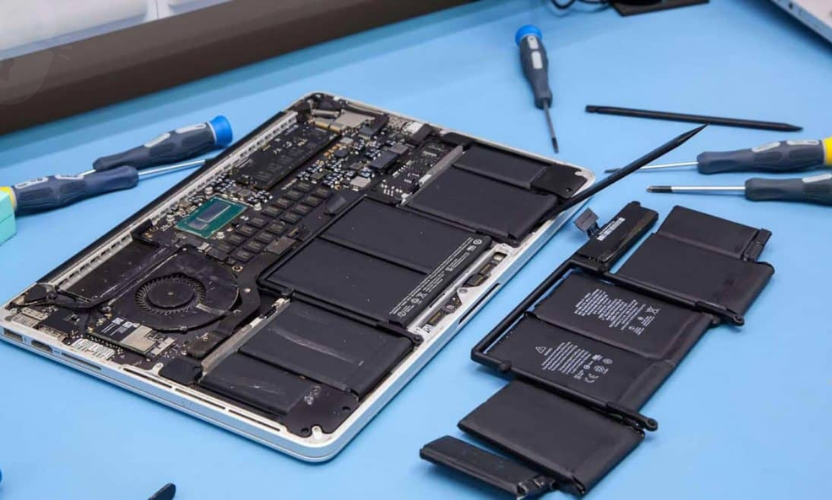
MacBook batteries are designed to wear gradually. As the battery ages, it holds less charge, so your “100%” today gives fewer hours than it used to. Apple explains that cycle count limits vary by model and a battery is considered “consumed” when it reaches its cycle limit.
2) One app is quietly consuming most of the power
Browsers with many tabs, video calls, cloud syncing, and creative apps can drain power quickly. Apple recommends checking energy use using Activity Monitor’s Energy view so you can see what’s using the most power.
3) Background activity after an update (temporary but real)
After a macOS update (or a big file migration), your Mac may run background tasks like indexing. Battery drain can spike for a day or two. If it continues beyond a few days, it’s usually a specific app or process (or battery wear), not “just the update.”
4) Brightness and display behaviour
Brightness is one of the fastest ways to drain a MacBook. Even a small reduction can noticeably improve runtime.
5) Power settings not matched to how you use the Mac
macOS includes power modes, and Apple explains you can choose different power modes depending on whether your Mac is on battery or plugged in.
6) Accessories and hubs drawing power (especially when you think it’s “sleeping”)
USB hubs, external SSDs, dongles, and peripherals can keep power draw higher than expected, sometimes even when the lid is closed.
Quick diagnosis table (use this before you do anything else)
| What you’re noticing | Most likely cause | Quick check you can do today |
|---|---|---|
| Battery drops fast during browsing | Heavy tabs/extensions or background apps | Check Activity Monitor → Energy to see top “Energy Impact” apps |
| Battery drains overnight when closed | Sleep/wake behaviour or accessories | Disconnect all accessories overnight and test again |
| Battery dies at 20–30% | Battery wear or calibration issues | Check cycle count + battery condition; note any sudden % jumps |
| Fans run loud during light work | Background process using CPU/GPU | Activity Monitor to identify the process; restart and re-check |
| Only lasts 1–2 hours no matter what | Battery capacity significantly reduced | Check battery health/cycle count; consider replacement |
Check what’s draining your MacBook battery right now
If you want the fastest answer to why is my MacBook battery draining so fast, don’t guess. Confirm what’s using energy now.
Use Activity Monitor (Energy tab)
Apple’s own guide shows Activity Monitor can reveal how much energy apps are using and the overall energy impact.
What to do with the results:
- If one app is always near the top, quit it and see if battery drain improves.
- If a browser is the culprit, reduce tabs, remove heavy extensions, and stop background video/audio.
- If a syncing app is constantly active, pause syncing briefly to confirm whether battery behaviour improves.
- If a process keeps coming back after restarts, note its name, this helps a technician diagnose faster.
This step alone fixes a huge chunk of “suddenly bad battery life” cases.
Why is my MacBook battery draining so fast when it’s closed?
If your MacBook loses a lot of charge while closed, it’s often not “battery wear” first, it’s sleep behaviour.
Common reasons:
- The Mac wakes for background tasks.
- A hub or accessory keeps power draw active.
- A runaway app prevents deep sleep.
- Network activity keeps the system busy.
A simple test:
- Fully charge your MacBook.
- Disconnect all accessories.
- Close the lid overnight.
- Check the battery percentage in the morning.
If drain improves a lot with accessories removed, you’ve found the pattern. If it still drains heavily, move on to battery health checks and power settings.
Battery health and cycle count: the numbers that explain fast drain
This is where you stop guessing and start being sure.
Check cycle count
Apple provides official guidance for finding your Mac laptop’s battery cycle count and explains that cycle count limits vary by model.
A practical way to interpret it:
- Low/medium cycle count + bad drain often points to software, settings, or a specific app.
- High cycle count + short runtime often points to battery wear as the main cause.
Check battery condition/health
On newer macOS versions, you can view battery health information in Battery settings. (If the system reports “Service Recommended” or similar, that’s a strong sign replacement is the right move.)
Fixes that actually improve MacBook battery life (without slowing you to a crawl)
Set the right power mode for battery use
Apple explains Power Modes and that you can choose different modes depending on whether you’re on battery or connected to power.
If you’re working on battery and don’t need maximum performance, choosing a more power-saving mode can help.
Enable charging features that protect long-term battery health
Apple explains Optimized Battery Charging and Charge Limit features that help improve battery lifespan by managing how and when your Mac charges to full.
These features won’t instantly give you more hours today, but they help slow down future battery aging.
Reduce brightness (small change, big return)
If you work at high brightness all the time, try dropping it slightly and testing for a day. Many users are surprised how much it helps.
Close what you’re not using
If you keep multiple browsers open, dozens of tabs, and constant background apps, your battery will pay the price. Close what you don’t need and measure the difference.
Disconnect accessories you don’t need
Even one external drive or hub can change power use. Test your MacBook for a full day “clean”, no hub, no external display, no accessories and compare.
When you actually need a battery replacement
At some point, the correct answer to why is my MacBook battery draining so fast is simply: the battery has reached the end of its useful life.
Strong signs it’s time:
- Cycle count is near/over the limit for your model
- Runtime is consistently poor even after app/power fixes
- You see sudden % drops (like 45% → 25% quickly)
- The MacBook shuts down unexpectedly on battery
- Heat and fan noise appear during light work alongside fast drain

If you’re local, this is where MacBook battery replacement at Gadgets n Repair St Helens becomes the straightforward solution: confirm the cause, replace if needed, and test the MacBook properly afterwards.
When it’s not the battery (but it looks like it)
Sometimes battery drain is a symptom of something else:
- Your charger/cable/USB-C port isn’t charging reliably, so you’re never truly getting a full charge.
- A background process is stuck and constantly running high energy (Activity Monitor confirms this).
- Liquid exposure causes abnormal behaviour (rare, but important if a spill happened).
If you’re unsure, a quick diagnosis can prevent replacing parts you don’t need.
FAQs: Why Is My MacBook Battery Draining So Fast?
Why is my MacBook battery draining so fast all of a sudden?
It’s often a power-hungry app, a stuck background process, or indexing after an update. Check Activity Monitor’s Energy view to confirm what’s using energy.
How do I check my MacBook battery cycle count?
Apple provides official steps to find cycle count and explains cycle limits vary by model.
Why does my MacBook battery drain fast when it’s closed?
It may be waking for background tasks, or an accessory/hub may be drawing power. Disconnect everything overnight and test again.
What’s the fastest way to improve battery life today?
Lower brightness, close unused apps/tabs, disconnect accessories, and choose a more power-saving power mode when on battery. Apple explains how Power Modes work.
When should I replace my MacBook battery?
If cycle count is near/over the limit, runtime stays poor after fixes, or you get sudden % drops and shutdowns, replacement is usually the right move.
Does Optimized Battery Charging help with fast drain?
It mainly helps protect long-term battery health by managing charging behaviour. Apple explains how it delays full charging in certain situations.