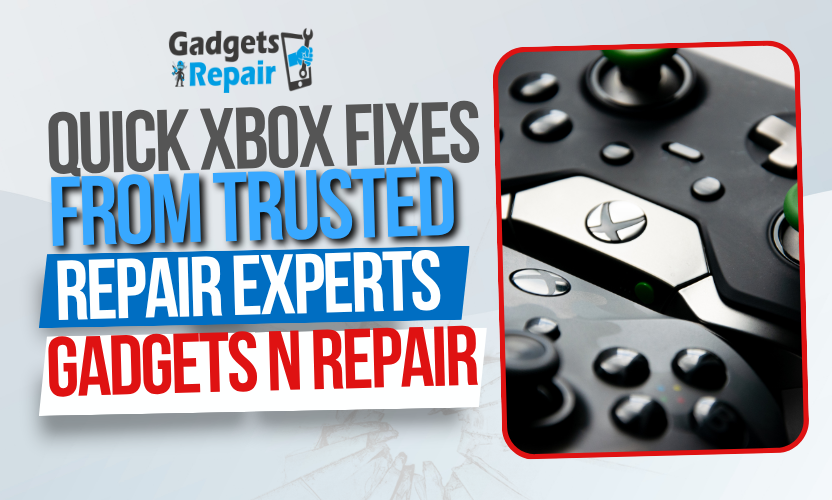
Ever sat down for a gaming session only to find your Xbox acting up? You’re not alone. Every day, gamers face frustrating issues like controller disconnects, joystick drift, or HDMI port failures. It’s enough to kill the vibe and your game streak.
At Gadgets N Repair, we understand how vital your console is. That’s why we’ve created this guide, not just another list of random fixes, but a proven, step-by-step solution hub based on real repairs we’ve performed for Xbox users. If you’re searching for a way to fix your Xbox without mailing it away or breaking the bank, this post is for you.
Common Xbox Issues Fixed by Gadgets N Repair
Understanding the most frequent Xbox issues helps you identify and resolve them faster. These are some of the most common problems gamers bring to Gadgets N Repair:
- Xbox controller not connecting or constantly disconnecting
- Joystick drift on Xbox Series X and Xbox One controllers
- HDMI port not working or showing “No Signal”
- Power issues: Xbox won’t turn on or randomly shuts off
- Xbox overheating during long gaming sessions
These problems range from annoying to game-breaking. Fortunately, many have simple solutions you can try before heading to a repair shop.
Branded Xbox Controller Fixes You Can Try at Home
Gadgets N Repair Guide: Fix Xbox Controller Connection Issues
Connection issues are common and often easy to fix. Start by performing a manual resync:
- Turn off your console completely.
- Unplug it for 60 seconds.
- Press and hold the pairing button on both the controller and console until the lights flash and connect.
If this doesn’t resolve the issue, your controller may have a faulty Bluetooth module, a problem we regularly fix at Gadgets N Repair using original OEM parts for long-term reliability.
Gadgets N Repair Guide: Fix Xbox Controller Drift
Joystick drift, when your character moves without touching the stick is typically caused by worn-out analog sensors. Before heading in for service, try recalibrating your controller through the Xbox Accessories app. If the drift continues, the sensor likely needs replacement.
At Gadgets N Repair, we replace faulty analog modules and re-tune them for accuracy. Whether you’re using a standard Xbox One controller or the latest Series X model, our Xbox controller drift fix restores full control.

Comparison Table: DIY vs. Gadgets N Repair Solutions
| Issue | DIY Fix | Gadgets N Repair Solution |
| Controller Not Syncing | Power cycle & manual resync | Bluetooth module repair or replacement |
| Joystick Drift | Recalibrate via Accessories App | Replace analog stick modules |
| Buttons Not Responding | Clean controller exterior | Button board diagnostics and repair |
| Intermittent Connection | Try new batteries or USB cable | Replace internal wireless components |
| Trigger Malfunction | Limited to cleaning | Trigger mechanism repair or replacement |
With years of experience and thousands of controllers restored, Gadgets N Repair offers proven, permanent solutions to restore your Xbox gaming experience quickly.
Gadgets N Repair HDMI Port Fix for Xbox Consoles
Fixing Xbox HDMI Port Problems Near You
Gadgets N Repair provides Xbox HDMI port fix services trusted by local gamers for quick turnaround and lasting results. For more advanced issues, explore our comprehensive console repair services to get expert help tailored to your Xbox model.
When to Use Gadgets N Repair for Xbox Repair Services
Some issues go beyond DIY territory:
- Persistent joystick drift even after recalibration
- Damaged HDMI ports
- Console that won’t power on despite trying new cables and outlets
- Overheating after cleaning and proper ventilation
These often require opening up the console, soldering new components, or replacing internal parts things best left to trained professionals. Gadgets N Repair provides:
- Same-day diagnostics
- Certified component replacements
- Warranty-backed repairs
Xbox Maintenance Tips by Gadgets N Repair Experts
Want to avoid these problems altogether? Follow these tips:
- Keep your console in a well-ventilated area
- Avoid yanking HDMI or power cables
- Store controllers safely to prevent joystick stress
- Clean dust from vents and ports monthly
- Use surge protectors to guard against power spikes
These simple steps can add years to your console’s life.
Final Thoughts & Xbox Repair Assistance
Your Xbox is more than just a gaming device, it’s your entertainment hub, your stress-reliever, your late-night escape. Don’t let simple issues keep you out of the game.
Tried the quick fixes above and still having trouble? Visit your local Gadgets N Repair for a fast, affordable solution. Our certified techs are ready to diagnose and repair your Xbox with the care it deserves.
Need help now? Contact us or visit your nearest location to get started.

Frequently Asked Questions (FAQs)
How do I fix Xbox controller drift permanently?
If recalibration fails, the analog module may need replacement. Gadgets N Repair replaces stick modules with professional-grade parts and recalibrates your controller for long-term use.
What should I do if my Xbox HDMI port is damaged?
Avoid forcing the cable. Bring your console to Gadgets N Repair for a precise HDMI port fix using micro-soldering tools to restore full video output.
Can Gadgets N Repair fix my Xbox if it won’t turn on?
Yes, we diagnose and repair Xbox power issues, whether it’s a faulty power supply or internal board failure.
Is joystick drift repair available for Xbox Series X controllers?
Absolutely. Gadgets N Repair provides Xbox Series X joystick drift fixes with OEM-grade parts and expert calibration.
Do I need an appointment for Xbox repair at Gadgets N Repair?
Walk-ins are welcome, but booking an appointment ensures quicker service and priority repair.