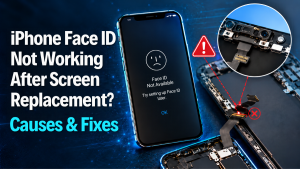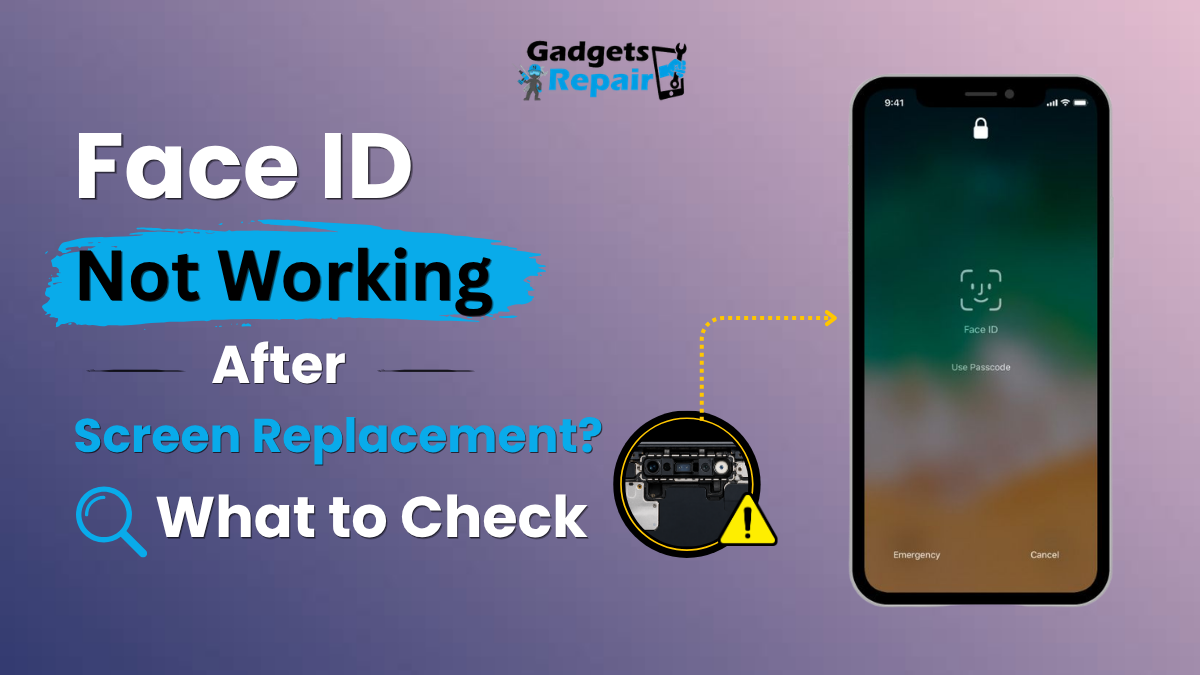
If Face ID worked before your iPhone screen replacement but stopped afterwards, it does not automatically mean the new display has permanently disabled Face ID. The problem may involve the TrueDepth camera system, a sensor connection, damage from the original impact, repair completion, calibration or another hardware issue.
Face ID not working after screen replacement: what does it mean?
If your Face ID is not working after screen replacement, do not assume the replacement screen itself has permanently disabled it. Face ID depends on Apple’s front-facing TrueDepth system rather than the display panel alone.
The problem may instead involve a disturbed sensor connection, damage to the TrueDepth assembly, contamination around the front sensors, damage from the original drop, a repair that has not been completed correctly, or a software-related issue.
The most useful question is whether Face ID worked immediately before the repair. If it did, compare what changed during the repair before replacing more parts.
Confirm the timing
Was Face ID working before the screen repair?
Check TrueDepth
Inspect the front sensor and camera area.
Rule out software
Restart, update and test Face ID settings.
Check the repair
Look for loose connections or sensor damage.
Seeing Face ID Not Available immediately after an iPhone screen repair can make it look as though the replacement display caused the problem. In reality, Face ID is a more complex system than the screen itself.
An iPhone uses several front-facing components to recognise your face. These components work together to build and analyse depth information. If one part is obstructed, damaged, disconnected or not functioning correctly, Face ID may stop working even when the replacement display looks completely normal.
The right approach is therefore diagnosis rather than immediately replacing the screen again.
Why is Face ID not working after a screen replacement?
Face ID can stop working after a screen replacement for several different reasons. Some are directly related to the repair process, while others may be connected to the original damage that led to the screen being replaced.
TrueDepth sensor damage
The original drop or impact may have damaged one of the front-facing biometric components before the display was replaced.
Loose or disturbed connection
A flex cable or connector associated with the front sensor assembly may not be seated correctly after the phone is reassembled.
Sensor contamination
Dust, adhesive, dirt or another obstruction around the sensor area can interfere with normal operation.
Software or repair-status issue
In some situations the phone may need software troubleshooting or the repair process may need to be completed correctly.
A screen replacement by itself does not mean Face ID should automatically stop working. If the timing closely follows the repair, investigate the associated sensors, connectors and repair process.
Can replacing an iPhone screen affect Face ID?
Yes, a screen repair can coincide with a Face ID problem because technicians work close to the front sensor system when removing and installing the display.
That does not mean every replacement screen directly disables Face ID. The more important factors are whether the original Face ID components remain intact, whether their connections are secure and whether any damage occurred before or during the repair.
This is why the diagnostic history matters. If Face ID worked before the repair and failed immediately afterwards, that change should be investigated systematically.
What does “Face ID Not Available” mean after screen repair?
The message generally means the iPhone cannot currently use the Face ID system as expected.
The message alone does not identify the exact faulty component. It should therefore be treated as a diagnostic starting point rather than proof that the new screen is defective.
Understanding the TrueDepth camera system
Face ID relies on a group of front-facing components rather than one ordinary selfie camera. Together they help the iPhone recognise facial depth and characteristics.
Helps capture infrared information used by the Face ID system.
Projects a pattern used to help build depth information.
Helps illuminate the face in supported conditions.
Associated sensors and connections must remain properly positioned and connected.
A replacement display can look perfect while Face ID still fails because the biometric system depends on separate front-facing components.
What changed during or after the screen repair?
Instead of randomly replacing parts, work backwards from the repair. The following sequence helps narrow the problem.
Verify history
Confirm whether Face ID definitely worked before the screen failed.
Inspect the sensor area
Look for dirt, obstruction or physical damage around the top sensors.
Check connections
A disturbed or loose connection may need professional inspection.
Rule out software
Restart, update iOS and review Face ID settings.
Test Face ID
Try setting up Face ID again if the option is available.
Professional diagnosis
Investigate the TrueDepth system if Face ID remains unavailable.
How to troubleshoot Face ID after a screen replacement
Restart the iPhone
A restart is a simple first check and can clear temporary software or biometric processes that are not responding correctly.
Check for iOS updates
Install appropriate system updates before assuming the Face ID system has suffered permanent hardware damage.
Clean the front sensor area
Gently clean the top section of the display with a clean, dry microfibre cloth. Dirt, adhesive or another obstruction can interfere with the front sensor area.
Remove obvious obstructions
Check whether a case or badly positioned screen protector is covering part of the sensor area.
Review Face ID settings
Open the Face ID and passcode settings and check whether Face ID options remain available.
Try setting up Face ID again
If the phone allows you to reset and enrol Face ID again, follow the on-screen process and test recognition.
The TrueDepth system contains delicate components. If basic troubleshooting does not resolve the problem, repeated DIY disassembly can make diagnosis more difficult.
Does Face ID need calibration after a screen replacement?
Depending on the iPhone model, software version and parts involved, Apple repair processes may include repair completion or calibration steps for supported replacement components.
If the iPhone shows a repair-related message or a Finish Repair option, that information should be reviewed before assuming the hardware has failed.
However, calibration is not a universal explanation for every post-repair Face ID problem. Physical sensor damage, damaged flex cables or connector problems still need to be ruled out.
Is the Face ID problem software or hardware?
- Face ID issue appears after an iOS change.
- Restarting temporarily changes the behaviour.
- No physical damage is visible.
- Face ID settings are still accessible.
- A repair-related software step remains incomplete.
- Face ID stopped immediately after physical repair.
- The original impact damaged the top of the phone.
- Front sensors are visibly obstructed or damaged.
- Face ID cannot be configured at all.
- The phone reports a persistent TrueDepth-related problem.
What if Face ID worked before the screen replacement?
This is one of the most important details in the diagnosis.
If Face ID definitely worked immediately before the repair and stopped immediately afterwards, the repair history becomes highly relevant. The phone should be checked for disturbed sensor connections, positioning problems, contamination or damage around the front sensor system.
That still does not automatically prove the replacement screen itself is faulty.
Can a screen protector affect Face ID after a repair?
A correctly fitted protector should not normally prevent Face ID from working, but a badly positioned accessory, contamination or material covering the sensor area can create problems.
Check the top of the display carefully and make sure nothing is blocking the relevant front-facing components.
When should Face ID be professionally checked?
Professional diagnostics are sensible if Face ID remains unavailable after restarting and updating the phone, the iPhone cannot enrol a new face, the front sensor area was damaged in the original impact, or the problem began immediately after the screen was replaced.
A technician can inspect the display installation, front sensor assembly, connectors and related hardware without immediately replacing the screen again.
Face ID still not working after the screen repair?
If basic checks have not solved the problem, a professional diagnostic can help determine whether the issue is related to the screen installation, TrueDepth system, sensor connection or another hardware fault.
Face ID after screen replacement FAQs
Why did Face ID stop working after my screen replacement?
Face ID may stop working if the TrueDepth system or an associated connection was damaged, disturbed, obstructed or already affected by the original impact. A software or repair-completion issue may also need to be ruled out.
Does replacing an iPhone screen automatically disable Face ID?
No. A display replacement does not automatically mean Face ID should permanently stop working. The biometric system relies on separate front-facing components that also need to remain intact.
Why does my iPhone say Face ID is not available after repair?
The message means the iPhone cannot currently use Face ID normally. It does not by itself identify whether the problem is software, repair-related or a TrueDepth hardware fault.
Can a loose cable cause Face ID to stop working?
A disturbed or damaged connection associated with the front sensor system can contribute to a Face ID problem. Internal inspection should be carried out carefully by someone experienced with iPhone repair.
Can a damaged TrueDepth camera be responsible?
Yes. Face ID relies on the TrueDepth system, so damage to a required component can prevent facial recognition from functioning.
Does Face ID need calibration after screen replacement?
Repair and calibration requirements can vary by iPhone model, software version and the parts involved. If the phone shows a repair-related message or Finish Repair option, that should be investigated.
Can a screen protector stop Face ID working?
A badly positioned protector or another obstruction around the sensor area can interfere with normal operation. Check that the top of the display is clean and unobstructed.
Can Face ID be repaired without replacing the screen again?
Potentially, yes. The correct repair depends on the actual fault. If the replacement screen is working normally, the issue may lie elsewhere in the sensor system, connections or software.
What if Face ID was already broken before the screen repair?
In that case, the original drop or damage may have affected both the display and the TrueDepth system. The Face ID fault should be diagnosed separately rather than automatically linking it to the replacement screen.
When should I get my iPhone professionally checked?
Professional inspection is sensible if Face ID remains unavailable, the phone cannot set up a new face, the original impact damaged the sensor area, or the issue appeared immediately after repair.
Do not assume the replacement screen itself has permanently broken Face ID
If Face ID is not working after screen replacement, start by confirming whether it worked before the repair.
Then check for simple obstructions, restart and update the iPhone, review Face ID settings and consider whether a repair-related process still needs attention.
If Face ID remains unavailable, the TrueDepth system, sensor connections and damage from the original impact become more important areas to investigate.
For professional help, you can visit Gadgets n Repair phone repair services or book a diagnostic check .
Practical smartphone troubleshooting and repair guidance for customers in St Helens and surrounding areas.
This guide provides general troubleshooting information. Face ID, repair procedures and available settings can vary by iPhone model and iOS version. Avoid unnecessary disassembly of the TrueDepth system if you are not experienced with iPhone repair.