If you want phone unlocking UK help, this guide shows the simplest, safest way to unlock a mobile phone so it works on any network. Most people do this to switch providers, get a cheaper SIM-only deal, travel abroad, or sell a handset for more money.
Before you pay anyone, you should first check whether unlocking is even needed. Since December 2021, mobile companies in the UK have been banned from selling locked handsets, so newer phones are often already unlocked.
What does it mean when a phone is locked?
A locked handset only works with the provider you bought it from. If you put in a SIM from another carrier, the phone may show a message like “SIM not supported” or “network lock”. The key point is this: a phone does not automatically become unlocked when your contract ends. You usually need to request unlocking (unless the phone was sold unlocked from day one).
Is it legal to unlock my phone in the UK?
Yes, unlocking is totally legal. What people often confuse is unlocking vs “unblocking”. Unlocking means making a phone work with any compatible SIM on any network. Unblocking is linked to blocked/lost/stolen devices and should not be attempted.
Is my phone locked? How can I find out?
The simplest test is to insert a SIM from another network:
- Turn off the phone
- Insert a SIM from another carrier (borrow one from a friend/family member or order a free SIM)
- Turn it back on
- If the network name appears and calls/data work, your phone is unlocked
- If it refuses the SIM or shows a lock message, it’s locked
This test is quick, and it saves you from paying for a service you don’t need.
How do I unlock my phone in the UK?
You usually have two options:
Option 1: Unlock via your network (recommended)
This is the safest route. Your carrier will normally ask for your IMEI number and may apply a policy based on whether you’re pay monthly, pay as you go, or SIM only.
Option 2: Use a trusted local phone shop
A reputable local shop can help, especially when you want someone to handle it for you. Competitor guides often mention typical fees around £15 for basic unlocking in many high street shops, but prices vary by network and handset. Always check reviews and make sure the shop will not touch anything suspicious (lost/stolen/blacklisted).
Important: Avoid anyone promising “instant unlock” for every model with zero checks. That’s where most scams sit.
Phone unlocking UK: Find your IMEI number (the fastest way)
Your network will almost always ask for an IMEI (International Mobile Equipment Identity). The easiest method is:
- Open the Phone app and dial: *#06#
- Your IMEI will flash up on screen
You can also find it in settings:
- iPhone: Settings → General → About
- Android: Settings → About Device → Status
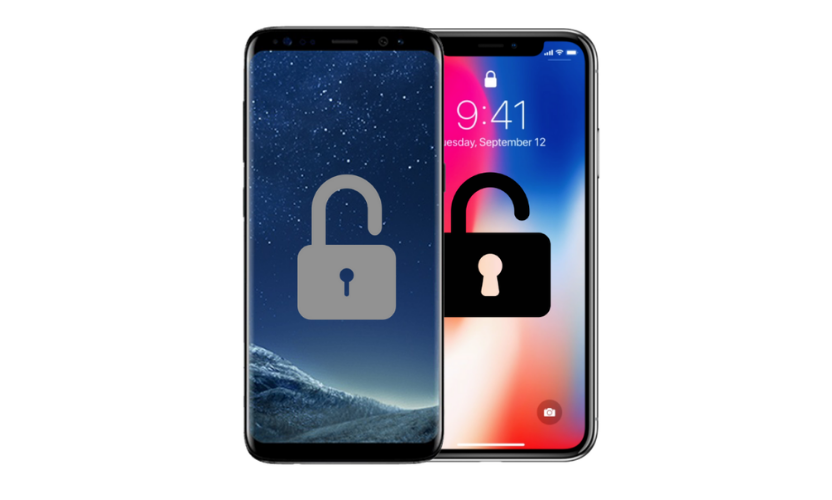
Once you have the IMEI, your carrier can check your make and model and start the unlocking process.
How long does it take to unlock a phone?
This depends on your network policy and the handset. A common misconception is that unlocking is instant. In reality, it can take anywhere from a few days up to 30 days in some cases.
Also note:
- Some iPhones unlock through the network system and complete after you insert the new SIM and follow on-screen steps
- Some older Android handsets may still use an unlock code sent by the network
Can I unlock my phone for free?
Often, yes, especially if you are out of contract. MoneySavingExpert notes that networks generally won’t charge unlocking fees when you’re outside the minimum contract term (though policies vary, and pay-as-you-go rules can differ).
If you’re still in contract, some networks may charge, or they may require a minimum time on the network before they will unlock.
Network-by-network policy guide (what to expect)
Policies change over time, so always check your network’s official support page first. Here are the typical patterns shown in major UK guides:
EE – How to unlock an EE phone
EE provides an official online device unlock tool and help guidance, and it uses the IMEI to check the device.
Older guides have mentioned conditions like waiting periods and possible fees in some situations, but the best source is EE’s own tool/help pages (because they’re always current).
O2 – How to unlock an O2 phone
O2 explains unlocking on its help pages and also clarifies the difference between unlocking and unblocking (PUK). It notes that some specific device types can be exceptions.
Vodafone – How to unlock a Vodafone phone
Vodafone unlocking commonly depends on account/device history (PAYG rules can differ). Always confirm on Vodafone’s current help pages or by contacting support.
Three – How to unlock a Three phone
Three has historically sold many phones unlocked, but if you have an older handset, you may still need to confirm its status. Always do the SIM test first.
Tesco Mobile / iD Mobile / Sky Mobile
Some networks supply phones unlocked as standard, while others may apply rules for specific models or timeframes. If you bought your phone second-hand, it’s even more important to test with another SIM and then contact the original network if it’s locked.
Benefits of unlocking your phone (why people do it)
Unlocking is popular because it gives you control. When your phone is unlocked, you can:
- Switch to a cheaper SIM-only deal
- Choose from the whole market, not just one provider
- Travel and use overseas SIMs to reduce roaming costs
- Sell your phone faster and often for more money
- Hand your phone down to a friend or family member without network issues
This is why “phone unlocking” keeps getting searched even though new UK phones are often sold unlocked.
Avoid dodgy unlockers (simple safety checklist)
If you want phone unlocking UK service from someone other than the network, keep it simple:
- Don’t use sellers who promise “unlock any phone instantly” with no checks
- Don’t trust sites that won’t show a real business address or support
- Don’t unlock a phone you don’t own or don’t have permission to unlock
- Never attempt anything to make a blocked phone work again
- If a deal feels too good to be true, it normally is
If you’re unsure, go through the network first. It is usually the safest option and often free.
When to use a local unlocking service (St Helens)
If you’re local to St Helens and you want help without stress, a shop can be useful when:
- You’re not sure what network the phone is locked to
- You want someone to double-check the IMEI and handset details
- You’ve tried the SIM test and need next steps
- You want help setting up the new SIM after unlocking
Gadgets n Repair can help you confirm if a phone is locked and guide you through the proper process so you don’t waste time or money.
FAQs
1) How do I unlock my phone to any network in the UK?
To unlock your phone in the UK, the safest method is to contact your network and request an unlock using your IMEI number. A trusted local independent phone shop can also help for a fee.
2) Is it legal to unlock my phone in the UK?
Yes, it’s perfectly legal to unlock a mobile phone to use on any network, as long as you’re the owner (or have permission) and the handset is eligible.
3) Is my phone locked? How can I find out?
Insert a SIM card from another carrier and restart your handset. If the network name appears and you can use the phone, it’s unlocked. If it shows a lock message, it’s locked.
4) What is an IMEI number and how do I get it?
The IMEI number is a unique identifier for your phone. The easiest way to find it is to dial *#06# in the Phone app. You can also find it in Settings (iPhone: General > About, Android: About Device > Status).
5) Can I unlock my phone for free?
Sometimes. Whether you can unlock for free depends on your network policy, and whether you’re pay monthly, pay as you go, or SIM only, and if you’re out of contract.
6) How long does it take to unlock a phone?
The time it takes to unlock a phone depends on the network and handset make and model. In many cases it takes a few days, but some unlocks can take up to 30 days.
7) Should I unlock via my network or use a local phone shop?
Unlocking via your network is usually the safest option. A reputable local independent phone shop is useful if you want help checking if your phone is locked, finding the IMEI, or getting support through the process.