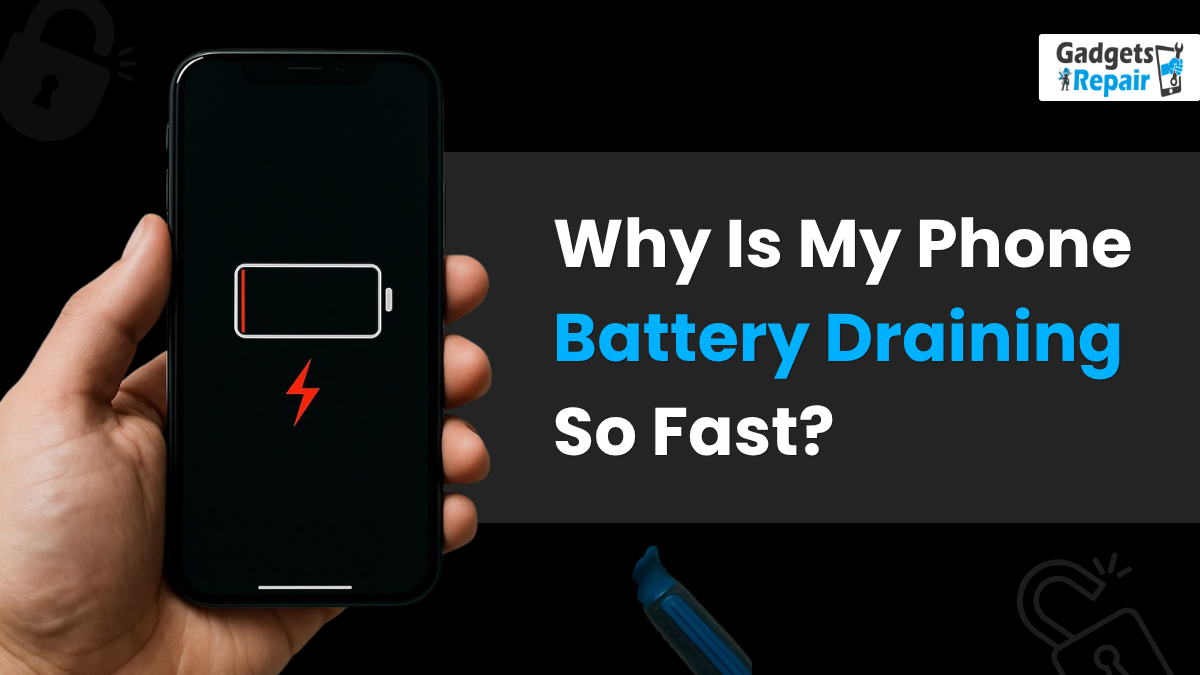
If you keep asking, “Why is my phone battery draining so fast?”, there may be more than one reason behind the problem. Your battery could be draining because of background apps, high screen brightness, poor signal, software updates, charging issues, or an ageing battery that no longer holds a charge properly.
At Gadgets n Repair, customers often ask for help with rapid battery drainage, slow charging, overheating, charging port faults, and phone battery replacement. However, not every battery issue means you need a new phone. In many cases, simple settings changes can help extend battery life. In other cases, your device may need a professional battery check.
This guide explains the most common causes of phone battery drain, how to improve battery performance, and when to contact Gadgets n Repair phone battery repair support.
Common Causes of Rapid Battery Drainage
Rapid battery drainage usually happens when your phone uses too much power in the background. Apps, services, screen brightness, connectivity, software settings, and battery health can all affect how long your phone lasts throughout the day.
Background Apps Running Too Often
Many apps continue to consume power even when you are not actively using them. Messaging apps, social media apps, navigation apps, weather apps, and news apps may run continuously in the background to provide timely notifications, updates, location tracking, and automatic syncing.
This is useful for convenience, but it can also reduce battery life. Therefore, it is advisable to regularly check your app settings and disable unnecessary background activities.
Power-Hungry Apps and Games
Some apps use more power than others. Highly interactive games, video apps, streaming apps, and apps that constantly use internet connectivity can consume a significant amount of power. As a result, your battery may drain faster than expected.
If you notice your phone battery dropping quickly after using certain apps, try limiting their usage. You can also look for more lightweight alternatives that use less processing power, data, and background activity.
Battery Age and Poor Battery Health
The age and condition of your device battery also play a major role in battery performance. Over time, batteries lose their ability to hold a charge. This can lead to faster drain rates, sudden drops in battery percentage, and weaker overall performance.
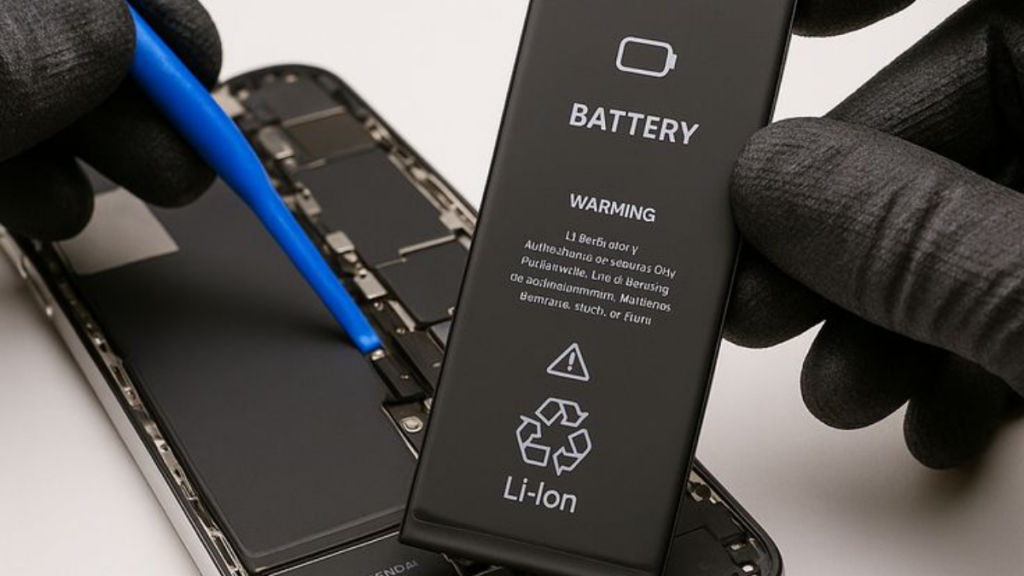
If your phone drains quickly even after adjusting your settings, a worn battery may be the cause. In that case, Gadgets n Repair battery replacement support can help you decide whether replacing the battery is the right option.
Background Apps and Battery Usage
Background apps are important for multitasking and smooth user experience. However, they can also be one of the biggest reasons your phone battery draining so fast problem keeps happening.
Auto-Refresh and Location Services
Some apps continue using battery power even after you close them. They may have an auto-refresh feature, or they may use location services in the background. Navigation apps, delivery apps, weather apps, and social media apps often use location tracking or real-time updates.
By checking individual app settings, you can reduce unnecessary drains on your battery. For example, you can allow location services only while using the app instead of allowing constant access.
Notifications and Real-Time Updates
Push notifications are convenient, but they require a constant connection to the internet. Messaging apps need to run in the background to deliver messages promptly. Social media apps also rely on background processes to notify users about new posts and interactions.
However, too many notifications can increase battery usage. Reducing push notifications for non-essential apps can help conserve power while still keeping important alerts active.
How to Control Background App Activity
Most phones include battery optimization features. These features can identify apps that consume excessive power and restrict unnecessary background activity. You can also manually choose which apps are allowed to run continuously.
The goal is not to disable every background app. Instead, focus on balance. Keep essential apps active, but restrict apps that you rarely use.
Screen Brightness and Battery Life
Your phone’s screen brightness plays a significant role in battery drainage. The screen is one of the most power-intensive components of a smartphone, so display settings can make a big difference.
High Brightness Settings
Brighter screens require more power to operate. If your phone brightness is always set to a high level, it can significantly impact battery life. Lowering the brightness level can help conserve battery power throughout the day.
Auto-brightness can also help because it adjusts screen brightness based on ambient lighting conditions. This means your phone does not use maximum brightness when it is not needed.
Screen Timeout and Auto-Brightness
Screen timeout duration also affects battery usage. If your screen remains lit for too long when idle, it continues to consume power. Setting a shorter screen timeout can help reduce battery drain.
For example, reducing your screen timeout to 30 seconds or 1 minute can help save battery power during normal daily use.
Dark Mode, OLED Screens and Resolution
Display technology also matters. OLED, or Organic Light-Emitting Diode, screens can be more energy-efficient than traditional LCD, or Liquid Crystal Display, screens. OLED screens can individually light up or turn off pixels, which means darker colours and black backgrounds may use less power.
Using dark mode or night mode can help improve battery life on many devices. Also, reducing screen resolution can lower the workload on your phone’s GPU, Graphics Processing Unit, and CPU, Central Processing Unit. This reduces processing power and energy usage when rendering graphics and text.
Software Updates and Battery Performance
Software updates are important for phone functionality and security. However, they can also affect battery performance, especially just after an update.
New Features and Default Settings
After a software update, certain settings may revert to default. New features may also be introduced that increase power consumption. If you notice a significant drop in battery life after an update, review your settings carefully.
Check screen brightness, background app refresh, location services, push notifications, and battery optimization settings. These small changes can help restore battery efficiency.
App Updates and Bug Fixes
Keeping your apps updated can also help improve battery performance. Developers often release updates to address bugs and optimize power usage. An outdated app may use more battery because of software glitches or inefficient background processes.
However, app updates can sometimes add new features that require more processing power. Therefore, if one app suddenly starts draining your battery, check its settings or reinstall it if needed.
Battery Optimization Improvements
Software updates can also bring improvements in battery optimization algorithms. These updates may improve the operating system’s power management capabilities and help distribute power more efficiently across tasks and processes.
In simple terms, updates can sometimes make battery life better. However, if your phone battery still drains fast after an update, your settings or battery health may need checking.
Hardware Issues That Drain Battery
Sometimes, the issue is not caused by apps or settings. If your phone battery draining so fast problem continues after optimization, hardware may be involved.
Faulty or Ageing Battery
A faulty battery can result in power draining more quickly than usual. If your phone shuts down suddenly, drops from a high percentage to a low percentage, or struggles to hold a charge, the battery may be worn.
A professional check can confirm whether the battery needs replacing. Gadgets n Repair phone battery diagnostics can help identify whether your battery is the real problem or whether another part is causing the drain.
Defective Charging Cables
Outdated or defective charging cables can affect battery performance. If a cable does not deliver the intended charging current, your phone may charge slowly or behave unpredictably.
Using genuine and good quality charging accessories helps ensure efficient and safe charging. Poor charging accessories may also cause overheating or charging port stress.
Overheating and Internal Strain
Overheating can contribute to battery drain. Heavy usage, direct sunlight, using the device while charging, and poor charging accessories can generate excess heat. When a phone gets too hot, it can affect battery performance and reduce overall lifespan.
Software glitches or outdated operating systems can also place unnecessary strain on the hardware, leading to increased power consumption. Regularly updating your phone’s software can help optimize performance and improve battery efficiency.
Connectivity and Phone Battery Drain
Connectivity is important, but it can also drain phone batteries quickly. Wi-Fi, cellular signal, Bluetooth, GPS, background app refresh, and push notifications all use power.
Wi-Fi, Cellular Signal and GPS
If your phone is constantly searching for a Wi-Fi or cellular signal, it can consume a significant amount of power. Poor network coverage makes the problem worse because your phone keeps trying to find a stronger signal.
If you are in an area with weak coverage, switching to airplane mode temporarily can help. You can also disable data connectivity when you do not need it.
Bluetooth and Data Connectivity
Bluetooth and GPS can also increase battery usage when left on unnecessarily. If you are not using headphones, speakers, smartwatches, maps, or location-based apps, turning off Bluetooth and GPS can help extend battery life.
This does not mean you should avoid these features completely. Instead, use them when needed and turn them off when they are not required.
Push Notifications and Background Refresh
Background app refresh allows apps to update content in the background. This consumes data and power. Push notifications also require a constant connection to receive real-time updates.
Managing notification settings and choosing manual refreshes for non-essential apps can reduce the frequency of data transfers and prolong battery longevity.
Battery-Saving Settings That Help
A few simple settings can help preserve battery power and reduce rapid battery drainage.
Battery-Saving Mode
Most phones offer built-in battery-saving mode options. These modes limit background processes, reduce screen brightness, and optimize power usage. They are especially helpful when your battery is running low or when you need your phone to last longer.
Battery-saving mode can slightly limit performance, but it can extend overall battery life during busy days.
Location and Sync Settings
Disabling unnecessary location services can reduce power consumption. You can also adjust email synchronization settings so your phone does not constantly check for new messages.
If you do not need instant email updates, choose manual sync or longer sync intervals. This reduces background activity and helps conserve battery.
Automatic App Updates
Automatic app updates can consume power in the background while updating. Limiting updates to Wi-Fi only can help reduce mobile data usage and unnecessary battery drain.
Here is a simple settings guide:
| Setting | Battery Benefit |
|---|---|
| Lower screen brightness | Reduces display power usage |
| Shorter screen timeout | Stops the screen staying lit too long |
| Limit background app refresh | Reduces background updates |
| Disable unused GPS | Reduces location tracking drain |
| Use battery-saving mode | Optimizes power usage |
| Restrict push notifications | Reduces constant internet activity |
Battery Drain Myths You Should Know
There are many misconceptions about phone battery drain. Some advice sounds helpful but does not always improve battery performance.
Force Closing Apps
Many people believe force closing apps always improves battery life. In reality, force closing apps can sometimes increase battery usage because reopening an app triggers additional processes.
It is better to manage background permissions and battery optimization settings instead of repeatedly closing every app.
Overnight Charging
Another common myth is that leaving your phone charging overnight always damages the battery. Modern smartphones are designed to stop charging once the battery is full, which helps avoid overcharging.
However, heat is still a concern. If your phone gets hot while charging overnight, or if you use poor-quality chargers, battery health may be affected over time.
When Battery Replacement Is Actually Needed
Not every fast-draining phone needs a new battery. Background apps, screen brightness, connectivity, software updates, and settings may all be responsible.
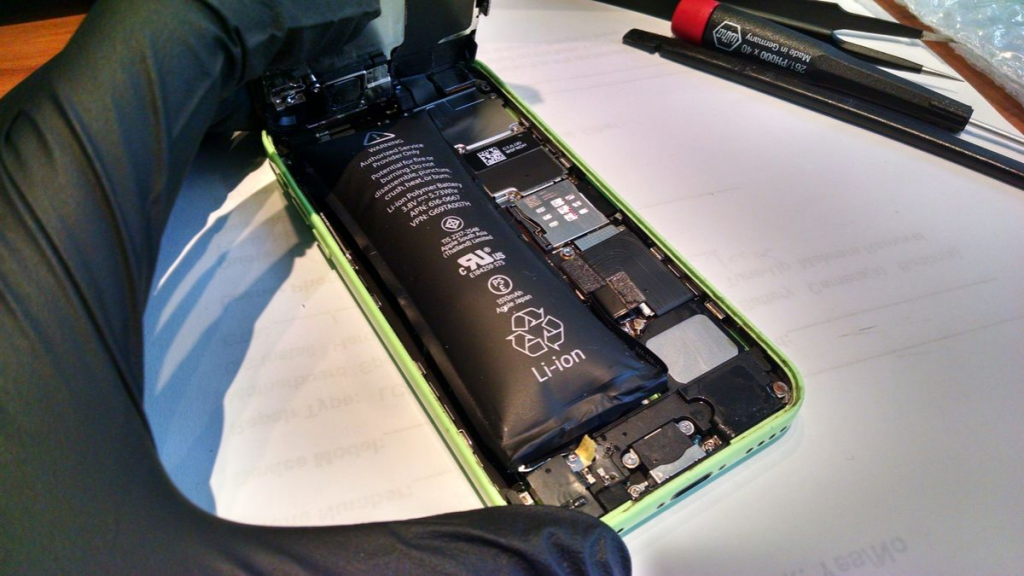
However, battery replacement may be needed if your phone no longer holds a charge, shuts down suddenly, overheats, or drains quickly even after optimization.
Why Choose Gadgets n Repair for Battery Drain Help?
If you are tired of asking, “Why is my phone battery draining so fast?”, Gadgets n Repair can help with clear advice and practical support.
Battery Diagnostics
Gadgets n Repair can check battery condition, charging behaviour, overheating signs, and app-related issues. This helps identify whether the problem is caused by software, settings, hardware, or battery wear.
Battery Replacement Support
If your battery has lost its ability to hold a charge, Gadgets n Repair battery replacement support can help restore better daily performance. Replacing the battery may be more affordable than replacing the entire phone.
Charging Port and Hardware Checks
Sometimes battery drain is linked to charging port problems, defective cables, overheating, or other hardware issues. Gadgets n Repair phone repair support can help check these areas before you spend money on the wrong solution.
For internal linking, connect this blog to your phone repair page, battery replacement page, charging port repair page, iPhone repair page, Samsung repair page, and contact page.
Final Thoughts
A fast-draining phone battery is frustrating, but it does not always mean your phone is finished. Background apps, high screen brightness, software updates, poor connectivity, push notifications, hardware problems, and battery age can all affect battery life.
Start with simple fixes first. Check app settings, reduce screen brightness, enable battery-saving mode, disable unnecessary location services, manage notifications, and update your software. If your phone battery still drains quickly, gets hot, or fails to hold a charge, contact Gadgets n Repair for expert battery diagnostics and repair advice.
FAQs About Phone Battery Draining So Fast
Why is my phone battery draining so fast?
Your phone battery may drain quickly because of background apps, high screen brightness, GPS, Bluetooth, poor signal, push notifications, software updates, hardware issues, or an ageing battery.
Can background apps drain my phone battery?
Yes, background apps can consume power through auto-refresh, location services, automatic syncing, real-time updates, and notifications. Restricting non-essential apps can improve battery life.
Does screen brightness affect battery life?
Yes, high screen brightness can significantly impact battery life because the screen is one of the most power-intensive components of a smartphone.
Can software updates cause battery drain?
Yes, software updates can sometimes change settings, add new features, or increase processing power usage. However, they can also include battery optimization improvements.
Does poor signal drain phone battery?
Yes, poor Wi-Fi or cellular signal can make your phone continuously search for a connection, which increases power consumption and reduces battery life.
Is battery-saving mode useful?
Yes, battery-saving mode can limit background processes, reduce screen brightness, and optimize power usage, helping your phone last longer.
Is overnight charging bad for my phone battery?
Modern smartphones are designed to stop charging when full, so overnight charging does not always damage the battery. However, overheating and poor-quality chargers can affect battery health.
When should I replace my phone battery?
You should consider battery replacement if your phone drains quickly after a full charge, shuts down suddenly, overheats, charges slowly, or no longer holds a charge.
Can Gadgets n Repair help with phone battery drain?
Yes, Gadgets n Repair can diagnose phone battery drain, check battery condition, inspect charging issues, and advise whether battery replacement or another repair is needed.