Phone Screen Black but Phone Still On? Causes and Fixes
Learn how to confirm whether the phone is still working, identify software and hardware causes, protect important data and recognise when professional screen repair is the safer option.
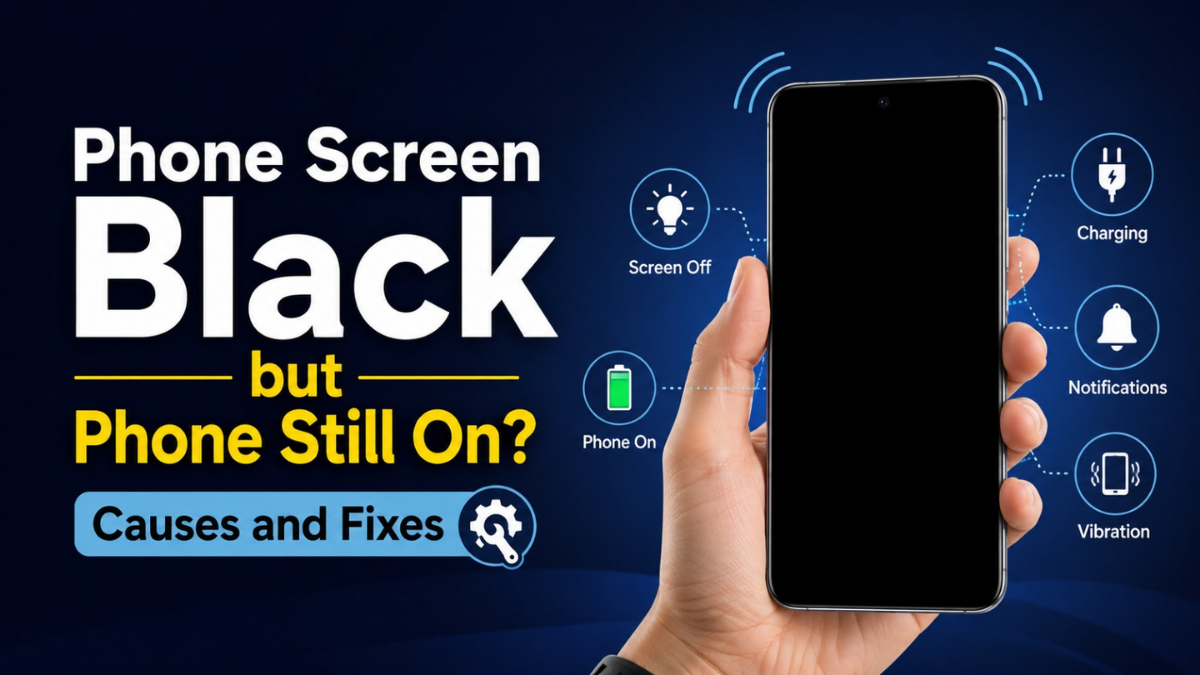
A phone screen black but phone still on can be alarming, especially when the device continues to ring, vibrate, charge or receive notifications. In many cases, the phone itself is still operating and the fault is limited to the display, its internal connection or a temporary software crash.
If the phone still rings, vibrates, connects to a charger or is recognised by a computer, it is probably not completely dead. The likely causes include a frozen system, damaged display, loose display connector, liquid damage or internal hardware failure.
60-Second Black-Screen Symptom Checker
Select every symptom that matches the phone. The result is a guide, not a substitute for hands-on diagnosis.
The checker will suggest the most likely direction and the safest next step.
Why Is the Phone Screen Black While the Phone Is Still On?
When a phone turns on but nothing appears, power is still reaching at least part of the device. The operating system may continue running even though the phone screen has no display. That is why calls, alarms, vibration and notification sounds may still work.
1 Software crash
A frozen operating system can leave the display black while background functions continue.
2 Display failure
A damaged LCD, OLED or AMOLED panel can stop showing an image while the phone remains active.
3 Loose connection
A drop can damage the display connector or screen flex cable without cracking the glass.
4 Liquid or power fault
Water exposure, battery problems or motherboard damage can produce similar symptoms.
How to Confirm the Phone Is Still Working
Fast diagnostic flow
Call the Phone From Another Device
If the phone rings but the screen is black, the network, battery and operating system may still be functioning. A phone screen black but phone rings is therefore a strong sign that the display or its internal connection needs attention.
Check for Sounds, Vibrations and Notifications
- The phone vibrates even though the screen remains dark.
- Notifications work but no display appears.
- The phone makes sounds but the screen remains blank.
- An alarm plays at the expected time.
- A connected smartwatch continues to receive alerts.
Connect the Phone to a Charger
A vibration, sound or charging response can show that the phone is still active. If the phone responds only when connected to power, the battery or charging system may also be involved.
Connect the Phone to a Computer
When a computer recognises the device while the screen remains black, the phone is probably still operating at some level. Direct file access may still require the device to be unlocked or previously trusted.
Black Screen vs Dead Phone
| Symptom | More likely explanation |
|---|---|
| Phone rings, vibrates or receives notifications | Display panel, connector or software fault |
| Phone is recognised by a computer | Device is probably still operating |
| No sound, vibration, charging response or computer detection | Battery, charging port, power circuit or motherboard fault |
| Screen failed immediately after a drop | Impact damage, display failure or loose connection |
| Screen returned after a forced restart | Temporary software crash or system failure |
Common Causes of a Black Phone Screen
Temporary Software Crash
An application or operating-system process can freeze while the phone remains powered. A force restart may clear the issue without deleting personal data.
Failed Update or Corrupted Software
A phone screen black after an update may result from an interrupted installation, corrupted software or a display-driver problem.
Damaged LCD, OLED or AMOLED Panel
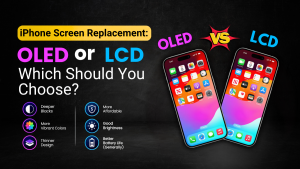
The outer glass can look undamaged while the internal image panel has failed. A faulty OLED screen may remain completely black, flash briefly or display coloured lines. A broken LCD may show dark patches, backlight problems or no picture.
Loose Display Connector or Flex Cable
A hard drop can loosen the display connector or damage the screen flex cable. The processor and other parts may continue working even though the phone display is not working.
Water or Liquid Damage
Moisture can damage the screen, connector, battery or motherboard. Corrosion may continue developing after the phone initially appears normal.
Battery, Charging or Power Button Fault
A weak battery can cause shutdowns or boot loops. A damaged charging port can stop the battery receiving enough power, while a stuck power button may prevent the phone waking normally.
Overheating
An overheating phone may dim its display, become unresponsive or shut down to protect internal components.
How to Fix a Phone Screen That Is Black but Still Working
Use a known-working combination rather than assuming the phone is charging correctly.
A deeply discharged battery may need time before the phone responds.
A damaged case can hold down buttons or block the proximity sensor.
This can clear a frozen software state without normally deleting personal data.
Look for a bent frame, lines, black patches, lifting glass or moisture in the camera lenses.
How to Force Restart an iPhone With a Black Screen
iPhone With Face ID
- Press and quickly release Volume Up.
- Press and quickly release Volume Down.
- Press and hold the Side button until the Apple logo appears.
iPhone 7 and iPhone 7 Plus
Hold the Side button and Volume Down button together until the Apple logo appears.
iPhone 6s, First-Generation iPhone SE and Earlier Models
Hold the Home button and the Side or Top button together until the Apple logo appears.
How to Fix a Samsung Phone Black Screen
Force Restart a Samsung Galaxy
Hold the Power or Side button and Volume Down button together for several seconds until the phone vibrates or restarts.
Try Safe Mode if the Display Returns
If the phone restarts but becomes unresponsive again, Safe Mode can help identify whether a third-party application is causing the issue.
Check Storage and Software
- Free storage space.
- Install pending system updates.
- Remove recently installed applications.
- Back up important files.
If the Samsung screen remains black while the phone continues to ring or vibrate, AMOLED screen replacement or another professional repair may be required.
How to Fix a Black Screen on Google Pixel and Other Android Phones
The force-restart method differs between Android manufacturers. A user should test a reliable charger, attempt the manufacturer’s restart method, check whether a computer recognises the phone and look for cracks, flashing, coloured lines or liquid exposure.
Phone Screen Black After Dropping It
A phone screen black after dropping strongly suggests physical damage. The display can fail internally even when the outer glass remains intact.
Internal panel damage
The image layer can fail without visible cracks.
Loose connector
The phone may still run while the display connection is interrupted.
Bent frame
Frame distortion can place pressure on the display or motherboard.
Deeper hardware damage
Impact can affect the power circuit or motherboard.
The phone should be checked by a screen repair specialist in St Helens if the screen flashes, shows coloured lines, responds only when pressure is applied or turns black immediately after impact.
Phone Screen Black After Water Damage
What to do
- Disconnect the charger.
- Switch the phone off if it can be done safely.
- Remove the case.
- Dry the exterior with a clean cloth.
- Arrange an inspection quickly.
What not to do
- Do not put the phone in rice.
- Do not use a hairdryer or heater.
- Do not repeatedly test the charger.
- Do not shake the phone.
- Do not open it without repair experience.
Phone Screen Black After a Software Update
A failed update can leave a phone frozen, stuck in a boot process or unable to load the interface correctly. The safest first step is a force restart.
If the display returns, the user should:
- Complete any pending update.
- Remove a recently installed application.
- Free storage space.
- Back up important files.
- Check whether the problem happens again.
Will Fixing a Black Phone Screen Delete Data?
| Action | Normally deletes personal data? |
|---|---|
| Charging the phone | No |
| Force restarting | No |
| Safe Mode | No |
| Screen replacement | Normally no, although backup is recommended |
| Recovery-mode update | Not always, but a risk exists |
| Software restore | Often yes |
| Factory reset | Yes |
How to Recover Data From a Black Screen Phone
Check Cloud Backups
Photos, contacts, messages and files may already be stored in iCloud, Google Photos, Google Drive, Samsung Cloud, OneDrive or another connected backup service.
Connect the Phone to a Previously Trusted Computer
Direct access may work when the phone was previously authorised, although an unlocked device may still be required.
Use an External Display or USB Mouse
Some compatible Android devices can output video to a monitor or accept input from a USB mouse. Model support varies.
Consider a Temporary Test Display
A technician may be able to connect a working test screen before permanent mobile screen replacement. This can confirm the fault and may allow the user to access important data.
When Is Screen Replacement Required?
- The phone rings, vibrates and charges but never displays an image.
- The display failed after a hard drop.
- The screen flashes green, white or purple.
- Black patches or lines appeared before the failure.
- A computer detects the phone but no picture appears.
- The problem repeatedly returns after restarting.
Depending on the model, the repair may involve an LCD screen replacement, OLED screen replacement or complete display assembly.
How Much Does Black-Screen Phone Repair Cost?
For a more detailed pricing breakdown, see the phone screen repair cost in St Helens guide.
The cost depends on:
- The phone’s make and model
- LCD, OLED or AMOLED technology
- Part quality and availability
- Frame damage
- Liquid or motherboard damage
- Data-recovery requirements
- Labour and warranty terms
A black screen phone repair should start with diagnosis. Replacing the screen without testing can lead to the wrong repair when the real problem is the battery, connector, charging circuit or motherboard.
Should the Phone Be Repaired or Replaced?
Repair often makes sense when the phone is otherwise in good condition, its replacement value is much higher than the repair price and important data remains on the device.
Replacement may be more practical when:
- The phone is old and no longer supported.
- The battery and charging port are also failing.
- The frame or motherboard is badly damaged.
- The repair approaches the cost of a suitable replacement.
- The device already has several recurring faults.
Your Safest Route From Black Screen to Repair
Confirm activity
Check calls, vibration, charging response and computer detection before assuming the whole phone is dead.
Protect the data
Check cloud backups and avoid a restore or factory reset until the data situation is understood.
Diagnose the hardware
Test the screen, connector, battery and board before authorising a replacement part.
Phone Screen Repair in St Helens
When safe troubleshooting does not restore the display, Gadgets n Repair can assess whether the issue is caused by the screen assembly, display connector, battery or deeper internal hardware.
View screen repair servicesCustomers searching for mobile phone repair St Helens, cracked screen repair St Helens or a local phone repair shop can request a professional diagnostic before approving repair work.
Frequently Asked Questions
Why is my phone screen black but still on?
The phone may still be running even though the display panel has failed, the display connector is damaged or the operating system is frozen.
Why is my phone ringing but the screen is black?
The network and operating system are probably still active. The likely causes include a failed display, loose connector or temporary software crash.
Can a black phone screen be fixed?
Yes. The correct fix depends on whether the cause is software, battery failure, display damage, a loose connection, liquid exposure or motherboard damage.
Will a force restart delete my photos?
A normal force restart does not usually erase personal data. A software restore or factory reset can erase the device.
Can data be recovered from a phone with a black screen?
Data may be available through cloud backups, a previously trusted computer, an external display on supported models or a temporary test screen.
Does a black screen mean the LCD is broken?
Not necessarily. The phone may use OLED or AMOLED technology, and the problem could instead involve the connector, software, battery or motherboard.
Should a black-screen phone be repaired or replaced?
Repair may be worthwhile when the phone is otherwise reliable and costs much less to repair than replace. Replacement may be better when several major components are already failing.
What Should Happen Next?
A phone screen black but phone still on can have several causes, from a temporary software crash to a damaged display or motherboard fault.
The safest approach is to confirm that the phone still responds, try the correct force-restart method, avoid destructive resets and check available backups. If the device continues to ring, vibrate or connect to a computer while the display remains blank, a professional diagnostic is safer than repeated DIY attempts.