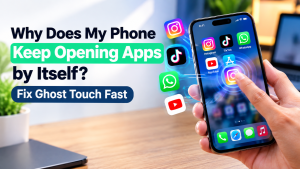
Is your phone opening apps, tapping buttons, or scrolling on its own even when you are not touching the screen?
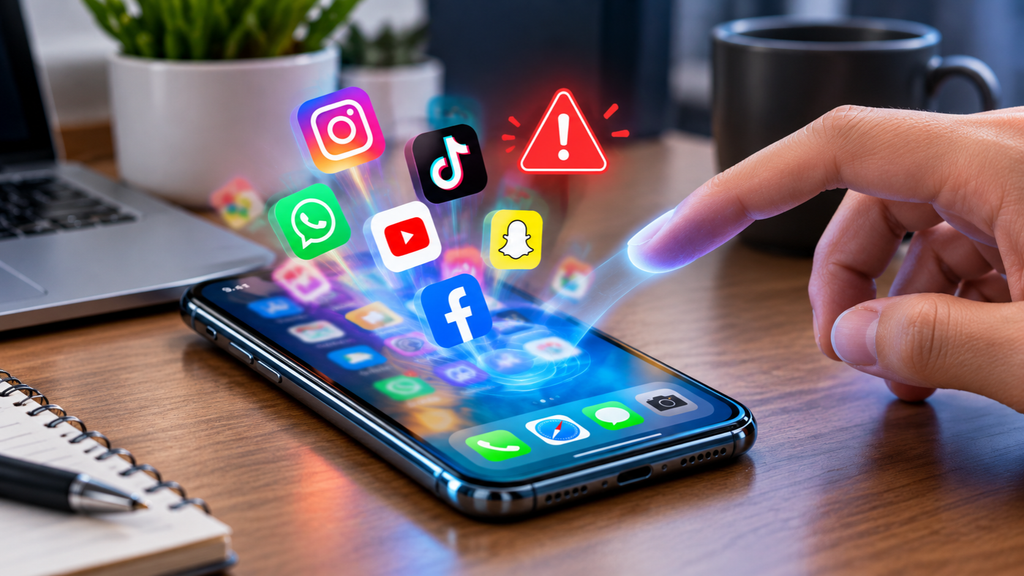
If you are wondering why does my phone keep opening apps on its own, the problem is often known as ghost touch. Your phone may register phantom touches even though your hands are nowhere near the touchscreen. The cause could be something simple, such as dirt, oil, sweat, or moisture, but a screen protector, charger, software problem, or damaged digitiser can also be responsible.
From what the Gadgets N Repair team sees when dealing with touchscreen problems in St Helens, a phone behaving this way does not automatically need a screen replacement. Checking when the problem happens can often point you towards the cause before you consider a repair.
Quick Answer: Why Is My Phone Opening Apps by Itself?
The common causes of unwanted touches include:
- Dirty touchscreen
- Faulty screen protector
- Tight phone case
- Faulty charger
- Damaged digitiser
A cracked screen, cracked protector, poorly fitted screen protector, or tight case can put pressure on the screen itself and interfere with touch sensing. Likewise, a faulty cable, damaged cable, or poor-quality charger can create electrical interference while charging.
If the problem began after a drop or crack, there may be screen damage or a damaged screen underneath the glass. Test the phone with an original charger and a clean bare screen first. If the unwanted touches continue, a hardware fault involving the digitiser becomes more likely.
Check Your Screen Protector, Case and Screen First
Start with anything physically touching the display. A tempered glass protector with a bubble, trapped dust, or hair underneath can create small pressure points. A sensitive touchscreen may interpret these as a phantom tap.
A tight case can create similar case interference, particularly if it has a raised edge pressing against a curved edge. This can be more noticeable on curved edge displays, where protector pressure or case pressure affects a smaller curved area compared with a flat screen.
Dirt, Moisture and Oil Can Trigger Phantom Touches
Your touchscreen works by detecting changes in electrical charge across the screen surface. Unexpected charge changes caused by a greasy screen, condensation, moisture, oil, sweat, or dirt can sometimes confuse a sensitive screen.
Use a dry microfibre cloth to create a clean screen, then test the phone with dry hands. This simple testing step can rule out surface contamination before you start changing settings or considering repairs.
Check for Electrical Interference
Occasionally, static, electromagnetic interference, or other external interference can affect how a touchscreen responds. Wireless chargers, powerful speakers, nearby electronics, and certain other devices may contribute.
Move the phone away from these possible external causes and test it again. If the random touches disappear, the screen hardware may not be the problem.
Does Your Phone Open Apps on Its Own While Charging?
If why does my phone keep opening apps on its own only becomes a problem when the device is plugged in, pay close attention to the charging equipment. This is an overlooked cause of ghost touch.
A cheap charger, faulty charger, damaged cable, or poorly shielded cable can introduce electrical noise or electrical leakage during charging. This may interfere with touchscreen input and screen input, creating phantom touches.
How a Faulty Charger or Charging Cable Can Cause Ghost Touch
Disconnect the charger and see whether the problem stops. Then test an original cable or certified cable with a certified charger. Trying a different charger can also help identify a charging fault.
A faulty adapter, cheap cable, faulty cable, or poor charging cable may cause leaking electrical interference or screen interference. If changing the adapter and charging cables solves the problem, what looked like a phone fault may simply have been a charging issue.
Rule Out Software Causes and Touch Settings
Not every ghost touch problem comes from damaged hardware. Software causes are worth checking, particularly if the problem appeared after installing a specific app or completing a recent update.
A buggy app may cause unexpected behaviour, while temporary software glitches can sometimes disappear when you restart phone. If the problem started immediately after installing an app, uninstall app and test the device again.
Check Accessibility and Touch Sensitivity Settings
Both iPhone and Android phones have features that can change touch behaviour. On an iPhone, AssistiveTouch may create an on-screen button. On Android, an Accessibility Menu or other accessibility settings can alter how the device responds.
Open Settings, review Accessibility, and then check your display settings and touch settings. Some phones increase touch sensitivity for gloves or screen protectors. An overly sensitive setting or another sensitive setting may cause altered touch behaviour.
Restart and Update Your Phone
Restarting gives you a freshly restarted device and can clear temporary problems. You should also install available software updates and make sure the phone is fully up to date.
Phone manufacturers sometimes correct touchscreen driver bugs and other driver bugs through a software update. Therefore, updating is worth trying before deciding that a software fix will not work.
How to Test Whether Ghost Touch Is a Hardware Fault
For a simple home test, remove case and the screen protector, make sure you have a clean screen and dry hands, then unplug charger. Move away from unnecessary electronics and restart the phone.
Leave it on the home screen with a plain background for a few minutes without touching screen. Under these testing conditions, there should be no charger connected and the device should have a bare screen. If phantom touches continue, a hardware fault involving the screen hardware becomes more likely than the other external causes.
When a Damaged Screen or Digitiser Causes Phantom Touches
The digitiser is the touchscreen layer that detects where you touch the display. It sits beneath the glass and converts your input into touch signals. Damage to this screen layer can create false touch signals, leading to phantom touch or ghost touch.
A small hairline crack may be enough to cause trouble. A drop, drop damage, knock damage, cracked glass, physical damage, or splash damage can affect the digitiser even when there is little obvious external damage. Tiny amounts of moisture can also cause moisture damage or eventually contribute to corrosion.
Can a Cracked Screen Make Your Phone Tap by Itself?
Yes. A cracked screen can create a damaged touchscreen even when the display still looks usable. If the digitiser has been affected, the device may open apps, type, tap, or scroll without intentional input.
If the problem began immediately after an impact, the exact fault may be physical. A physically damaged digitiser cannot normally be repaired through software because the underlying hardware cause remains.
Does Ghost Touch Always Mean You Need a Screen Replacement?
No. Rule out the simpler causes first. Try removing protector, changing charging cables, and careful screen cleaning. A faulty screen protector can imitate symptoms of a genuine screen fault.
However, if the touchscreen problem continues on a clean screen and bare screen with no charger attached, a screen replacement may be necessary. Replacing the damaged display and fitting a new digitiser can provide a reliable fix and permanent fix when physical damage is responsible.
Why Ghost Touch Can Be More Common on Curved Edge Displays
Phones with curved edge displays can be particularly sensitive to pressure around the curved area. A low quality screen protector, protector pressure, case pressure, or general screen pressure can affect a sensitive display.
Previous repairs can matter too. A screen replacement using a lower quality part or poor replacement part may affect touch sensitivity, display quality, and reliability. This is why part quality and repair quality matter when choosing replacement components.
What a Professional Phone Diagnostic Checks
When basic troubleshooting does not solve the problem, a proper diagnostic can reveal faults that are difficult to see at home. A professional technician can perform screen testing and touch testing across the entire display, checking touch accuracy, touch consistency, screen consistency, and the screen edges.
A technician may also perform a screen inspection and external inspection for hairline cracks, hidden cracks, visible damage, moisture, and corrosion. The display connector and internal connector can also require inspection. These diagnostic checks help separate accessory problems from genuine screen damage.
At Gadgets N Repair St Helens, a repair diagnostic can help identify whether the display, digitiser, charger, or another component is behind the problem before moving ahead with a phone repair.
OEM vs Aftermarket Screen Parts: Why Digitiser Quality Matters
If you do need a replacement, screen digitiser quality matters. OEM parts, aftermarket phone parts, and other repair parts can differ in touch response, durability, and overall quality. Understanding OEM vs aftermarket options can therefore help when selecting a replacement screen.
The cheapest option is not always the best choice. A lower quality screen may affect touch performance later. Good repairers should explain the available quality parts, part quality, and expected repair quality before carrying out a screen repair.
Depending on your device, you may need iPhone screen repair, Samsung screen repair, or Google Pixel screen repair. Gadgets N Repair provides screen and phone repair support in St Helens for customers who want the fault diagnosed before deciding on replacement.
Why You Should Not Ignore a Phone Tapping by Itself
Random phone tapping is more than a simple inconvenience. A phone acting without your input could open apps, send messages, dial numbers, or perform other unwanted actions. In rare cases, this may create a security risk or financial risk.
This matters even more if banking apps, payment apps, contactless payment apps, or another payment app are among your installed apps. Random input could potentially confirm purchase actions or cause an unwanted purchase. If you notice unexplained messages or apps opened without your knowledge, consider it an urgent issue.
Still Opening Apps After Checking Everything?
If you have ruled out screen protectors, cases, dirt, charging cables, and software settings, but the phone continues to behave strangely, a damaged digitiser or other screen damage becomes more likely.
A professional diagnostic can determine whether you need mobile phone repairs, iPhone repairs, Samsung repairs, or Google Pixel repairs. Customers looking for phone repair in St Helens can speak to Gadgets N Repair about a free diagnostic, phone screen, screen unresponsive, charging issue, cracked phone, or cracked phone back glass problem. You can also contact us and check a repair guide or phone repair guide to understand the repair process, phone repair process, screen work, or back glass repairs.
Frequently Asked Questions
Is a Phone Tapping by Itself Dangerous?
A phone tapping by itself can cause apps opened, unwanted messages, and other unwanted actions without your knowledge. If banking apps or payment apps are installed, there is a real risk of unwanted purchases and financial risk. It is not usually physically dangerous, but addressing promptly is sensible.
Can a Screen Protector Really Cause Ghost Touch?
Yes. A poorly fitted screen protector, cracked protector, bubbled protector, or cracked screen protector can put pressure on the phone screen. Because this is one of the common causes, removing screen protector is often the fastest test to rule out problem before assuming a touchscreen issue is caused by hardware.
Why Does It Only Happen When My Phone Is Charging?
A faulty adapter, cheap cable, faulty cable, or poor charging cable can introduce electrical interference into the touchscreen during charging. Test a certified cable and certified charger. If the screen interference disappears, leaking electrical interference from the adapter or charger may have caused the apparent phone fault.
Will a Factory Reset Fix Ghost Touch?
A factory reset may help if the problem comes from software, a buggy app, corrupted setting, another software cause, or problematic stored data. However, a reset cannot repair hardware, a physically damaged digitiser, physical damage, a damaged touchscreen, or another hardware fault.
Does This Always Mean I Need a New Screen?
No. A faulty screen protector, charging cable, dirty display, or software problem can cause similar misbehaviour. Try cleaning screen, removing protector, testing a bare screen, and disconnecting any charger connected to the phone. A screen replacement becomes more likely only when these simpler causes are ruled out and the touchscreen problem continues on a clean screen.
What Should I Do If My Phone Is Still Opening Apps on Its Own?
If you have ruled out the screen protector, charging accessories, dirt, and software but the touch problem continues, arrange a professional diagnostic. A persistent problem may indicate a damaged digitiser, screen damage, or another touchscreen fault. Gadgets N Repair phone repair in St Helens can check the screen, digitiser, charging equipment, and related hardware before recommending a repair.