Imagine checking an important message or making a phone call when your iPhone suddenly switches off, displays the Apple logo and starts again. At first, it might seem like a temporary glitch. However, when the same problem happens repeatedly, it becomes difficult to use your phone normally.
If your iPhone keeps restarting, the problem could involve an iOS software bug, a failing battery, insufficient storage or damaged internal components. Sometimes, a simple update or restart resolves the issue. In other cases, the phone may need professional diagnosis to identify the underlying fault.
In this guide, Gadgets N Repair explains why iPhones restart unexpectedly, how to troubleshoot the problem safely and when professional repair may be necessary.
Why Does My iPhone Keep Restarting?
An iPhone can restart unexpectedly when its software encounters a serious problem or when its hardware cannot maintain stable operation. For example, an ageing battery may struggle to deliver the power required during demanding tasks, while a software fault may cause the operating system to crash.
The behaviour of your iPhone can provide useful clues. Some devices restart randomly throughout the day, while others repeatedly display the Apple logo without reaching the Home Screen. These symptoms may look similar, but they do not always have the same cause.
Before attempting a fix, pay attention to when the problem occurs. Does your iPhone restart while charging, after installing an update, when opening an application or when the battery percentage becomes low? This information can help narrow down the possible causes.
7 Common Reasons Your iPhone Keeps Restarting
1. iOS Software Bugs or Failed Updates
Software problems are one possible reason an iPhone keeps restarting randomly. Occasionally, an iOS update may fail to install correctly, or a software issue may affect the phone’s stability.
You might notice unexpected restarts after installing an update or while using particular features. However, the timing alone does not prove that the update caused the problem.
If your iPhone remains usable, check whether another compatible iOS update is available. Apple sometimes releases software updates that address bugs and improve system reliability.
2. Weak or Ageing iPhone Battery
Your iPhone battery gradually loses capacity and performance as it ages. Eventually, it may struggle to provide sufficient power during periods of high demand.
Apple explains that unexpected shutdowns become more likely when a battery has aged, its charge level is low or the device is exposed to colder temperatures. If your iPhone keeps turning off and on, particularly when the battery percentage is low, battery condition is worth checking.
Open Settings, select Battery and look for Battery Health or Battery Health & Charging, depending on your iPhone model and iOS version. If your device indicates that battery service is recommended, professional assessment may be appropriate.
3. Insufficient iPhone Storage
When an iPhone has very little available storage, it may struggle to install updates, save temporary files or perform certain system operations.
Low storage does not automatically cause an iPhone to restart, but it can contribute to performance problems and interfere with software maintenance.
To check your available space, open Settings, select General and tap iPhone Storage. Review the storage recommendations and remove unnecessary downloads, applications or large files if space is running low.
4. Problematic Applications
Some applications may crash, freeze or behave unexpectedly because of bugs or compatibility problems.
Normally, an application crash closes the application rather than restarting the entire iPhone. However, if your phone repeatedly restarts while using one particular app, the pattern is worth investigating.
Check whether the application has an update available. If the problem continues, consider reinstalling it after making sure any important app data is backed up or synchronised.
5. Physical Damage or Internal Hardware Faults
If your iPhone started restarting after being dropped, internal hardware damage could be responsible.
An impact may affect the battery connection, internal circuitry or other components even when the screen and outer casing appear undamaged.
In these situations, professional phone repair services can help identify whether the fault involves a replaceable component or a more complex internal problem.
6. Water or Liquid Damage
Liquid exposure can interfere with electrical connections and damage internal components. In some cases, the effects are immediate, while corrosion-related problems develop later.
If your iPhone keeps restarting after contact with water, avoid repeatedly switching it on or connecting it to a charger. If possible, turn it off and seek professional assessment.
A specialist offering water damage repair can inspect the device and advise whether recovery or component-level repair is possible.
7. Charging or Power-Related Problems
If your iPhone restarts mainly while charging, the issue may involve a faulty charging accessory, unstable power delivery or an internal charging-related fault.
Start by checking the cable and adapter for visible damage. If the phone has not been exposed to liquid and the charging port appears safe to use, try a compatible, undamaged charger. If the restarts continue with different accessories, the problem may require further diagnosis rather than repeated charger replacement.
How to Fix an iPhone That Keeps Restarting
The following troubleshooting steps can help identify common software and power-related problems. Start with the simplest checks before considering more advanced recovery methods.
1. Force Restart Your iPhone
A force restart can help when an iPhone becomes unresponsive or is temporarily stuck.
For an iPhone 8 or later, including newer Face ID models, quickly press and release the Volume Up button, then quickly press and release the Volume Down button. Next, hold the Side button until the Apple logo appears.
For an iPhone 7 or 7 Plus, hold the Side button and Volume Down button together until the Apple logo appears. For an iPhone 6s, first-generation iPhone SE or earlier compatible models, hold the Home button and Side or Top button together until the Apple logo appears.
A force restart does not erase your personal data. However, it will not permanently resolve a damaged battery or hardware fault.
2. Update Your iPhone to the Latest Compatible iOS Version
Software updates can address bugs, security issues and compatibility problems that may affect system stability.
If your iPhone stays on long enough, connect it to a reliable Wi-Fi network, back up your important data and open Settings. Select General, followed by Software Update. Install an available compatible update and allow the process to finish without interruption.
If your iPhone repeatedly restarts during the update process, stop attempting the same update and consider professional assistance or Apple’s supported computer-based recovery options.
3. Check Battery Health
Battery condition is particularly important if your iPhone restarts when the charge level becomes low or while performing demanding tasks.
Open Settings and navigate to the battery health information available for your model. Look for any messages indicating degraded performance or recommending service. A low maximum-capacity percentage can indicate battery ageing, but it does not independently confirm the cause of unexpected restarts.
If testing identifies a failing battery, replacement may help restore reliable performance.
4. Free Up Storage Space
If your iPhone storage is nearly full, removing unnecessary files can help the device operate more smoothly.
Open Settings, select General and tap iPhone Storage. Review large applications, downloaded videos and files you no longer need. You can also use Apple’s Offload Unused Apps feature to free up application storage while retaining associated documents and data where supported.
After freeing some space, restart your iPhone normally and check whether the problem continues.
5. Update or Remove Problematic Applications
If the restarts consistently occur while using a particular application, check the App Store for updates.
You can also close and reopen the application, restart the phone and check whether the behaviour continues.
If necessary, delete and reinstall the application after confirming that any important data is safely backed up. Avoid removing applications that contain information you cannot recover.
6. Check Your Charging Accessories
A damaged cable or adapter can cause charging interruptions, although not every charging problem causes a full device restart.
Inspect your charging accessories for frayed cables, bent connectors or other visible damage. Do not continue using damaged accessories. If the phone has no signs of liquid damage, try a different compatible charger and power socket.
If your iPhone only restarts when connected to power, tell the repair technician about this pattern because it may help with diagnosis.
7. Reset All Settings
If your iPhone remains usable and the problem appears software-related, resetting settings may be worth considering after simpler troubleshooting.
Open Settings, select General, then Transfer or Reset iPhone. Tap Reset and choose Reset All Settings. This action does not delete your photos, applications or other personal content. However, it resets various preferences, including network settings, privacy settings and other system configurations.
Make sure you select Reset All Settings rather than Erase All Content and Settings.
8. Use Recovery Mode if Your iPhone Is Stuck in a Restart Loop
If your iPhone repeatedly shows the Apple logo and cannot reach the Home Screen, you may need to use recovery mode.
Connect the iPhone to a Mac or Windows computer using a compatible cable. Open Finder on a supported Mac or the Apple Devices app on Windows, then follow Apple’s model-specific instructions to enter recovery mode.
If the computer offers an Update option, try that first when appropriate, as it attempts to reinstall iOS without erasing your personal data. The Restore option erases the iPhone. Do not choose Restore unless you understand the consequences and have a suitable backup or have accepted the risk of data loss.
If the recovery process fails or the device repeatedly disconnects, professional diagnosis may be necessary.
iPhone Keeps Restarting: Symptoms and Possible Causes
Different restart patterns can point towards different areas worth investigating.
| iPhone problem | Possible cause | What to check first |
|---|---|---|
| iPhone restarts randomly | Software instability or hardware fault | iOS updates and restart pattern |
| iPhone restarts at low battery | Ageing battery or power issue | Battery health |
| iPhone keeps showing Apple logo | Boot loop or startup failure | Recovery options |
| iPhone restarts after an update | Software or installation issue | Available iOS updates |
| iPhone restarts while charging | Charger, connection or power fault | Charging accessories |
| iPhone restarts after being dropped | Possible internal damage | Professional inspection |
| iPhone restarts after water exposure | Possible liquid damage | Stop using and seek assessment |
| iPhone restarts when opening one app | Application or software issue | App updates and compatibility |
These are possible explanations rather than confirmed diagnoses. Several faults can produce similar symptoms.
Why Does My iPhone Keep Restarting and Showing the Apple Logo?
If your iPhone repeatedly displays the Apple logo, disappears and then shows it again, the device may be experiencing a boot loop.
A boot loop occurs when the phone repeatedly attempts to start but cannot complete the startup process. This can happen because of software corruption, an interrupted update or certain hardware problems.
If the device remains stuck in this cycle, avoid repeatedly forcing restarts without investigating the cause. A supported recovery-mode update may help with some software problems, but hardware-related boot loops may require professional attention.
Why Does My iPhone Keep Restarting After an iOS Update?
Unexpected restarts following an iOS update can be particularly confusing, especially if the phone worked normally beforehand.
An incomplete installation, software compatibility problem or another underlying fault may be involved. However, the fact that the problem started after an update does not necessarily mean the update itself is responsible.
Check for a newer compatible iOS release, make sure sufficient storage is available and observe whether the restarts occur during particular activities. If the phone cannot remain on long enough to complete troubleshooting, computer-based recovery or professional diagnosis may be needed.
When Does an iPhone That Keeps Restarting Need Professional Repair?
Occasional software-related problems may respond to basic troubleshooting. However, persistent unexpected restarts can indicate an issue that requires professional attention.
Consider arranging an inspection if your iPhone continues restarting after updating iOS, repeatedly gets stuck on the Apple logo, shuts down despite having substantial battery charge or started malfunctioning after a drop.
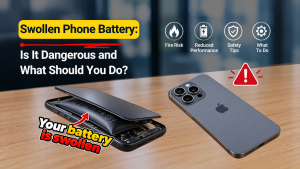
Professional diagnosis is also advisable when the problem follows liquid exposure or the device becomes unusually hot, swollen or physically damaged. If the battery appears swollen, stop using or charging the phone and seek qualified assistance.
Can a Faulty iPhone Battery Cause Random Restarts?
Yes. A degraded battery can contribute to unexpected shutdowns when it cannot deliver the power required by the device.
The problem may become more noticeable when the battery percentage is low, the phone is exposed to cold conditions or demanding applications increase power consumption.
However, battery replacement should not be treated as a guaranteed fix for every restarting iPhone. Software faults, damaged connections and other hardware issues can produce similar behaviour. A proper diagnosis helps determine whether the battery is responsible before replacement is recommended.
Professional iPhone Repair in St Helens
If your iPhone keeps restarting despite trying the recommended troubleshooting steps, Gadgets N Repair offers a local option for discussing the problem and arranging an assessment.
At Gadgets N Repair, we understand how disruptive an unreliable iPhone can be, particularly when you depend on it for communication, work or everyday tasks. Unexpected restarts can interrupt important calls, prevent access to applications and make the device difficult to rely on.
Our phone repair services in St Helens can help customers explore repair options for hardware-related faults and other device problems. Contact our team to describe your iPhone model, explain when the restarts occur and confirm the diagnostic services available.
If the problem began after liquid exposure, our water damage repair services may also be relevant, depending on the condition of the device.
Frequently Asked Questions
Why does my iPhone keep restarting randomly?
Random iPhone restarts can occur because of software instability, battery problems or internal hardware faults. Start by checking for iOS updates, reviewing battery health and identifying when the restarts happen.
How do I stop my iPhone from restarting itself?
Try a force restart, update iOS, check available storage and review battery health. If the problem continues, further diagnosis may be necessary.
Why does my iPhone keep turning off and on?
An iPhone that repeatedly turns off and on may be experiencing a software problem, unstable power delivery or a hardware fault. If it cannot complete startup, it may be stuck in a boot loop.
Can a bad battery make an iPhone restart?
Yes. An ageing battery may struggle to supply sufficient power, particularly during demanding tasks or at low charge levels. However, battery condition should be assessed before assuming replacement is necessary.
Why does my iPhone keep restarting when charging?
Possible causes include faulty charging accessories, unstable charging connections or internal power-related faults. Try a compatible, undamaged charger if the phone is safe to charge.
Will resetting my iPhone fix random restarts?
Resetting settings may help with some software-related issues, but it cannot repair damaged hardware. A full factory restore erases personal data and should only be considered after understanding the risks and available backup options.
Why is my iPhone stuck on the Apple logo?
The device may be experiencing a boot loop caused by software corruption, an interrupted update or a hardware fault. Recovery mode may help with certain software problems.
Is it worth repairing an iPhone that keeps restarting?
It depends on the device’s age, overall condition and the diagnosed fault. A battery or other replaceable component may make repair worthwhile, while more extensive damage may require comparing repair costs with replacement.
Final Thoughts
If your iPhone keeps restarting, the problem could be related to iOS software, battery condition, charging accessories or internal hardware. Understanding when the restarts occur and performing safe troubleshooting can help identify the next step.
Start with a force restart, software updates and battery checks. If the device remains stuck in a restart loop or continues switching off unexpectedly, professional diagnosis may be the most practical option.
For customers in St Helens and surrounding areas, Gadgets N Repair provides a local point of contact for discussing iPhone faults and available repair options. Identifying the cause before replacing parts can help avoid unnecessary expense and get your device working reliably again.