Is your iPhone not charging because of the port, battery or hidden dust?
If your iPhone is not charging properly, the charging port may be dirty, damaged or worn. However, the repair cost can vary because the problem is not always the charging port itself. Sometimes the issue is caused by dust inside the port, a faulty cable, battery problems, liquid damage or internal board faults.
At Gadgets n Repair, we help customers in St Helens check the real cause before any repair work begins. If you need an iPhone charging port repair cost in St Helens, the best step is to bring your phone in for inspection and get a clear quote.
Why Is My iPhone Not Charging?
An iPhone that will not charge can be frustrating, especially if you rely on it for calls, work, maps, banking and messages. In many cases, the charging problem starts small and then gets worse over time.
Common signs include:
- Your iPhone only charges at a certain angle
- The charging cable feels loose
- Your iPhone charges slowly
- Charging starts and stops
- Your iPhone does not recognise the charger
- The battery percentage does not increase
- Your iPhone says liquid has been detected
- The charging port looks dusty or blocked
If this sounds familiar, you may need iPhone charging port repair in St Helens. However, it is important to get the phone checked first because cleaning may solve the issue in some cases.
Is It Always the Charging Port?
No, an iPhone charging issue is not always caused by the charging port. Sometimes the problem is much simpler. For example, dust, lint or debris inside the charging port can stop the cable from connecting properly.
In other cases, the fault may be linked to:
- A damaged charging cable
- A weak battery
- Liquid damage
- Charging port wear
- Internal connector damage
- Software issues
- Power-related board faults
Because of this, Gadgets n Repair always recommends inspection before replacing parts. This helps avoid unnecessary repair costs and gives you a clearer answer.
Can an iPhone Charging Port Be Cleaned Instead of Replaced?
Yes, sometimes an iPhone charging port can be cleaned instead of replaced. If the problem is caused by lint, dust or debris inside the port, professional cleaning may help restore the connection.
However, cleaning will not fix every issue. If the charging port is damaged, loose, corroded or no longer making proper contact, a repair or replacement may be needed.
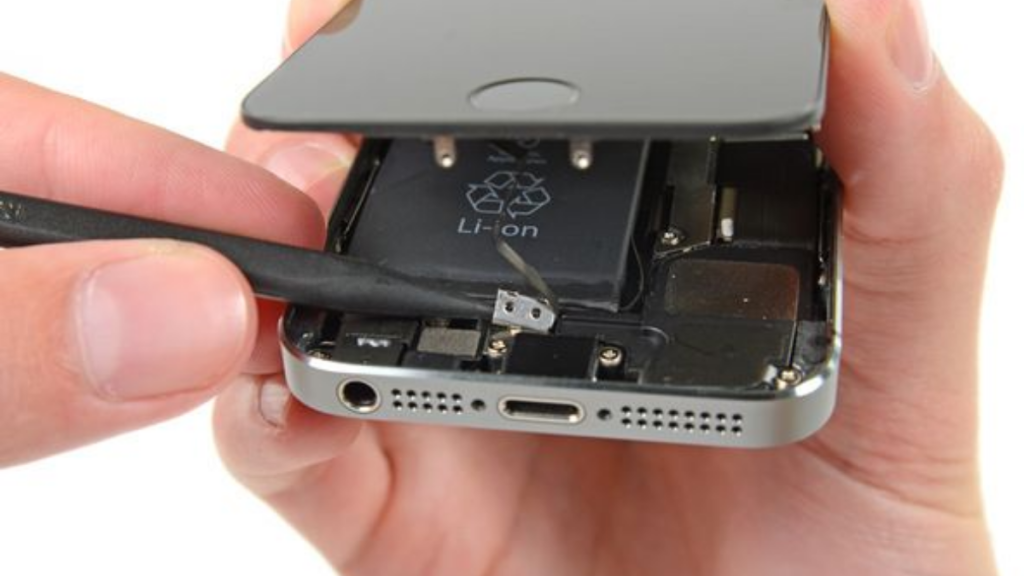
Therefore, if your iPhone is not charging, do not force the cable into the port. This can make the damage worse. Instead, bring it to a local phone repair shop for a proper check.
How Much to Fix iPhone Charging Port in St Helens?
The cost to fix an iPhone charging port in St Helens depends on the iPhone model, the type of fault and whether the port needs cleaning, repair or replacement.
The final price may depend on:
| Factor | Why It Affects Cost |
|---|---|
| iPhone model | Different models use different parts and repair methods |
| Type of fault | Cleaning, repair and replacement are not the same job |
| Parts availability | Some iPhone parts may need to be ordered |
| Liquid damage | Corrosion can affect more than the charging port |
| Battery condition | A weak battery can sometimes look like a charging fault |
| Internal damage | Deeper faults may need further diagnostics |
For the most accurate answer, visit Gadgets n Repair on Church Street, Saint Helens WA10 1AX, or call 01744 345711 for a free phone repair quote.
Signs You May Need iPhone Charging Port Repair
You may need iPhone charging port repair in St Helens if the cable no longer fits securely or the phone fails to charge even with a working charger.
Look out for these signs:
- Charging cable only works at an angle
- iPhone keeps disconnecting from the charger
- Port feels loose or damaged
- Charging is very slow
- iPhone does not connect to a computer
- You see a liquid detection warning
- Cleaning does not solve the issue
If the issue keeps happening, it is better to get it inspected before the phone stops charging completely.
What Should You Do Before Bringing Your iPhone In?
Before visiting a repair shop, you can do a few safe checks:
- Try another Apple-compatible charging cable
- Try another plug or USB port
- Restart your iPhone
- Check if the port looks blocked
- Avoid using metal objects to clean the port
- Do not charge the phone if there is liquid inside
If the problem continues, bring your iPhone to Gadgets n Repair for proper inspection.
Why Choose Gadgets n Repair in St Helens?
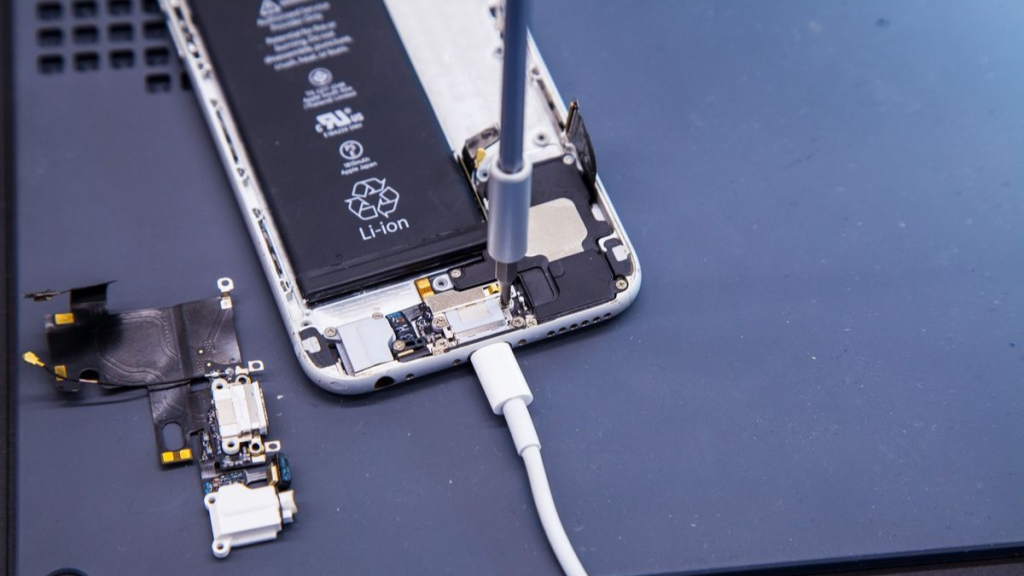
Gadgets n Repair is a local phone repair shop based on Church Street in St Helens. We help with iPhone charging problems, screen repairs, battery replacement, water damage checks and other common phone faults.
Customers choose us because we offer:
- Local iPhone repair in St Helens
- Free phone repair quote
- Clear advice before repair work begins
- Charging port cleaning, repair or replacement advice
- Support for many iPhone models
- Walk-in repair advice where possible
- Friendly local service from our Church Street shop
Same-day repairs may be available for selected faults, depending on your iPhone model, the issue and parts availability.
Need an iPhone Charging Port Repair Quote in St Helens?
If your iPhone is not charging, charging slowly or only working at an angle, bring it to Gadgets n Repair for inspection. We can check whether the issue is caused by the charging port, battery, cable, liquid damage or another fault.
Call 01744 345711, visit Gadgets n Repair, 27 Church St, Saint Helens WA10 1AX, or book online if available.
FAQs
How much does it cost to fix an iPhone charging port?
The cost depends on the iPhone model and the exact fault. Sometimes the port only needs cleaning, while other cases may need charging port repair or replacement. Visit Gadgets n Repair in St Helens for a clear quote.
Why does my iPhone only charge at an angle?
This can happen when the charging port is dirty, loose or damaged. It may also happen if the cable is worn. If the issue continues with another cable, the port should be inspected.
Can a charging port be cleaned instead of replaced?
Yes, if the problem is caused by dust or lint inside the port. However, if the port is damaged or corroded, cleaning may not be enough.
Is it safe to keep using an iPhone with charging problems?
It is better to get it checked. A loose or damaged charging connection can become worse over time, especially if the cable is forced into the port.
Do I need an appointment?
You can call ahead on 01744 345711 or visit the Church Street shop for advice. Walk-ins may be available for many common phone repair checks.
Can I get same-day iPhone charging port repair?
Same-day repair may be available for selected faults, depending on your iPhone model, the fault and parts availability.