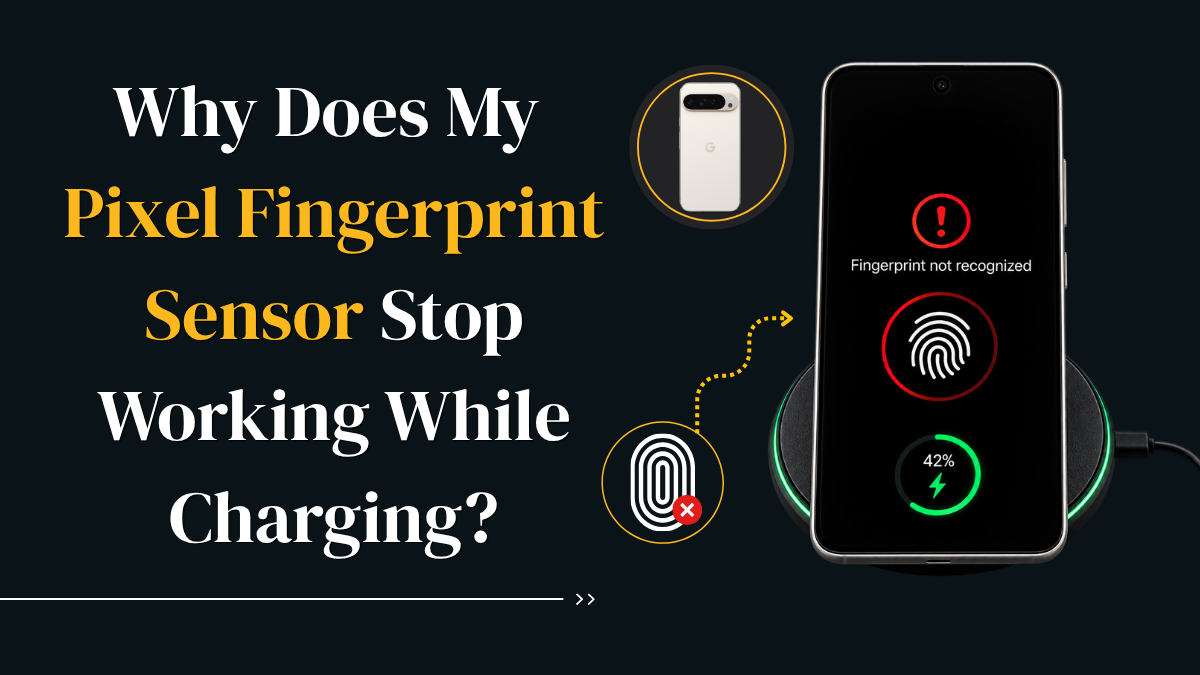
If your Pixel unlocks normally until a charger is connected, the charging pattern itself is an important diagnostic clue. It can help you isolate the charger, USB-C cable, wall outlet, screen protector, software and hardware before you replace the fingerprint sensor.
Pixel fingerprint sensor not working while charging: what should you do?
A Pixel fingerprint sensor not working while charging does not automatically mean the biometric reader has failed. If fingerprint unlock starts working normally again after you disconnect the charger, begin with the charging setup.
Try another compatible charger, USB-C cable and wall socket. Then clean the fingerprint area, check the screen protector, restart the Pixel, update Android and re-register the fingerprint.
If the sensor also fails while unplugged, or the problem appears alongside a loose USB-C port, damaged screen, ghost touches, charging interruptions or liquid exposure, professional diagnostics become more important.
This pattern is more useful than immediately assuming the fingerprint sensor itself is dead.
Fingerprint problems are confusing enough on their own, but they become more unusual when fingerprint unlock works normally until a charger is connected.
This is different from a fingerprint reader that has completely failed. If the behaviour changes depending on whether the Pixel is charging, you already have a useful diagnostic clue.
The best approach is to compare the phone in two conditions: unplugged and charging. That simple comparison can stop you from replacing a display or fingerprint component unnecessarily.
Why is my Pixel fingerprint sensor not working while charging?
There is no single cause that applies to every Google Pixel. A charging-only fingerprint problem can be related to the power adapter, USB-C cable, wall outlet, screen protector, display surface, Android software, fingerprint registration, charging port or internal hardware.
The most useful clue is whether fingerprint recognition becomes reliable again after the charger is disconnected.
If it does, begin with the external charging setup before assuming the fingerprint reader or display has physically failed.
If fingerprint unlock works while the Pixel is unplugged, the fingerprint system is still capable of functioning. The next step is identifying what changes when external power is connected.
60-second Pixel fingerprint diagnostic
Select the symptoms that match your phone.
Common causes of Pixel fingerprint problems while charging
Charger or power-source interference
If fingerprint failure appears together with touch lag, ghost touches or inconsistent input, the charging setup becomes more relevant.
Damaged USB-C cable
A worn cable can create unstable charging or repeated connection changes even when the phone still appears to charge.
Screen protector interference
Thick, incompatible or poorly fitted protectors can make under-display fingerprint recognition less reliable.
Dirty, wet or very dry fingertips
Moisture, screen smudges and very dry skin can reduce fingerprint recognition accuracy.
Android or biometric glitch
A restart, software update or fresh fingerprint registration can sometimes resolve recognition problems.
Display, USB-C or internal hardware fault
Screen damage, liquid exposure, a loose port or previous impact damage makes professional diagnostics more important.
Do not replace the charger, display or fingerprint sensor based on this symptom alone. Compare several known-good charging setups first.
How to fix a Pixel fingerprint sensor that stops working while charging
Work through these checks in order. Start with the simplest external variables before moving toward software resets or hardware repair.
Test fingerprint unlock while unplugged
Lock and unlock the Pixel several times with the same finger. This creates a reliable baseline.
Reconnect the charger and repeat the test
Keep your finger and screen condition the same. Note whether recognition changes immediately after charging begins.
Try another compatible charger
Use a known-good USB-C power adapter rather than an unknown or visibly damaged charger.
Swap the USB-C cable
Internal cable damage can create unstable charging even if the cable still appears functional.
Test another wall outlet
This removes the original socket, extension lead or power strip from the diagnosis.
Clean the fingerprint area
Use a clean, dry microfibre cloth and make sure your finger is clean and dry.
Check the screen protector
If fingerprint performance changed after installing a protector, test that variable before assuming the sensor has failed.
Restart your Pixel
A restart can clear temporary biometric or system processes that are not responding correctly.
Install Android updates
Updates can include fixes for display, biometric, charging and system behaviour.
Re-register your fingerprint
Remove the affected fingerprint from security settings and enrol it again from several angles.
Test Safe Mode
If the problem disappears in Safe Mode, software or an app interaction becomes more plausible.
A factory reset removes data but cannot repair a damaged charger, USB-C cable, screen protector, charging port or physical display fault.
Why does the fingerprint sensor work again after unplugging the charger?
Disconnecting the charger removes several variables at once: the charging adapter, USB-C cable, wall outlet and the phone's active charging path.
If fingerprint recognition immediately becomes reliable again, that does not tell you which individual component is responsible. It does, however, tell you to investigate the charging setup before replacing the fingerprint sensor.
Can a charger interfere with the Pixel fingerprint sensor?
Poor-quality or faulty charging accessories can sometimes create unstable power conditions. If fingerprint recognition and touchscreen behaviour both change while charging, the power setup deserves testing.
The safest way to investigate this is to compare several known-good chargers, USB-C cables and wall outlets rather than assuming electrical interference immediately.
Changing one component at a time makes it easier to see which condition changes fingerprint recognition.
Can a charging port problem affect the fingerprint sensor?
A USB-C port problem becomes more convincing when fingerprint issues appear alongside other charging symptoms.
Look for a cable that feels loose, charging that starts and stops when the connector moves, visible debris, corrosion, accessory warnings or charging that only works in a certain position.
If the port is physically loose or there are signs of corrosion or liquid exposure, professional inspection is safer than aggressive cleaning.
Could the screen protector be the real problem?
Yes. Under-display fingerprint readers depend on consistent interaction through the screen surface.
A thick, incompatible or poorly fitted screen protector can reduce recognition. Air bubbles or damaged adhesive can make the issue even more noticeable.
If fingerprint performance changed after installing a protector, test that variable and re-register your fingerprint before considering sensor replacement.
What if the Pixel touchscreen also acts strangely while charging?
Ghost touches, delayed taps, inaccurate input or inconsistent touch response appearing at the same time as fingerprint failure is an important clue.
Compare the phone while unplugged and then with a different compatible charger.
If both touch response and fingerprint recognition improve, the charging setup becomes more relevant. If touchscreen problems continue while unplugged, the display or touch layer becomes a stronger suspect.
Is the Pixel fingerprint problem software or hardware?
More suggestive of software or accessories
- Fingerprint works normally while unplugged.
- Only one charger or cable triggers the issue.
- Restarting temporarily restores fingerprint unlock.
- The problem started after installing a screen protector.
- Safe Mode changes the behaviour.
- There is no obvious physical damage.
More suggestive of hardware
- Fingerprint also fails while unplugged.
- The USB-C port is loose.
- Charging repeatedly disconnects.
- The display has cracks or touch faults.
- The issue started after a significant drop.
- The phone has suffered liquid exposure.
Should you factory reset a Pixel for a fingerprint problem?
A factory reset should not be your first response to a fingerprint reader that fails only while charging.
Resetting the phone removes applications and local data, but it cannot fix a faulty charger, USB-C cable, charging port, screen protector or damaged display.
If you eventually consider a reset, back up important photos, messages and authentication information first.
When does a Pixel fingerprint problem need professional repair?
Professional diagnostics make sense when fingerprint recognition also fails while unplugged, several known-good chargers make no difference, the USB-C port feels loose, charging repeatedly disconnects or the display is damaged.
A professional inspection is also sensible after liquid exposure or a significant drop, particularly when fingerprint problems appear together with touchscreen or charging faults.
For local support, visit Gadgets n Repair phone repair services .
If the problem appears related to the display, see our screen repair service in St Helens .
Still failing after the charging tests?
If several compatible chargers give the same result or fingerprint unlock also fails while the phone is unplugged, a diagnostic check can help determine whether the fault is related to the charging port, display, software or fingerprint system.
Frequently asked questions
Why does my Pixel fingerprint sensor stop working only while charging?
If fingerprint unlock works normally when the charger is disconnected but becomes unreliable when power is connected, test the charger, USB-C cable and wall socket first.
Can a charger interfere with the Pixel fingerprint sensor?
It can in some situations. Test a known-good compatible charger, USB-C cable and another wall outlet before assuming the fingerprint reader itself has failed.
Why does fingerprint unlock work again after unplugging the charger?
Unplugging removes the charging adapter, USB-C cable, outlet and active charging path from the test. If fingerprint recognition immediately improves, investigate those variables first.
Can a faulty USB-C cable cause fingerprint problems?
A damaged cable can cause unstable charging or repeated connection changes. Testing another known-good cable removes that variable.
Can a damaged charging port affect fingerprint recognition?
A loose, dirty or damaged USB-C port can create charging instability. If fingerprint failures appear together with charging interruptions, the port deserves inspection.
Can a screen protector affect Pixel fingerprint recognition?
Yes. A thick, incompatible or badly fitted screen protector can reduce the reliability of an under-display fingerprint reader.
Why does my Pixel touchscreen behave strangely while charging?
If touch lag, ghost touches and fingerprint failures appear only while charging, compare another charger, USB-C cable and wall outlet.
How do I know if the problem is software or hardware?
If the behaviour changes with the charger, improves after restarting or disappears in Safe Mode, software or accessories become more plausible. Failure while both plugged and unplugged makes hardware more likely.
Does the fingerprint sensor need replacing if it works when unplugged?
Not necessarily. Rule out the charger, cable, outlet, screen protector, software and USB-C port before considering fingerprint sensor replacement.
When should I get my Pixel checked professionally?
Professional diagnostics are sensible when fingerprint unlock also fails unplugged, several known-good chargers make no difference, the charging port is loose, the screen is damaged or the phone has suffered liquid exposure.
Test the charging setup before replacing the fingerprint sensor
If your Pixel fingerprint sensor is not working while charging but starts working again after you unplug the cable, do not immediately assume the fingerprint sensor needs replacing.
Test another compatible charger, USB-C cable and wall outlet. Check the screen protector, clean the fingerprint area, restart and update the Pixel, and re-register your fingerprint.
The most useful distinction is simple: works unplugged but fails while charging means the charging setup should be investigated first.
If fingerprint recognition fails both plugged and unplugged, broader software, display or hardware diagnostics become more important.
Practical phone, tablet, computer and game-console troubleshooting and repair guidance for customers in St Helens and surrounding areas.
This article provides general troubleshooting information. Settings can vary by Pixel model and Android version. If the phone shows battery swelling, liquid damage, overheating or obvious electrical damage, stop charging it and arrange professional inspection.